What is Tableau (Business Intelligence)?
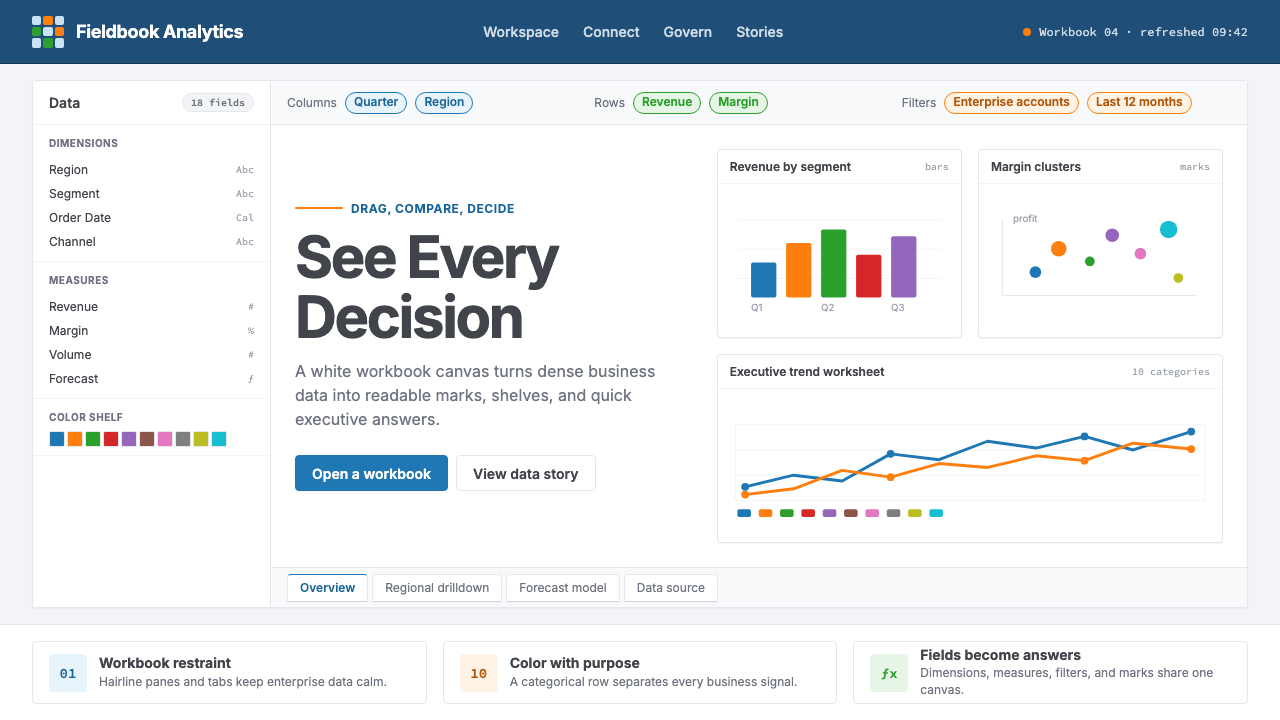
Tableau turned academic research on visual query languages into the defining aesthetic of enterprise analytics — a workbook of navy chrome, hairline grid lines, and a ten-color palette engineered to make dense data readable at a glance.
Tableau (Business Intelligence) in brief
Tableau's visual identity is, at its core, a design of productive restraint. The interface presents a white canvas surrounded by navy workbook chrome — a deep, authoritative blue that frames rather than dominates. Inside that frame, data takes center stage: marks, axes, and reference lines occupy a rigorously white field, with color reserved for categorical meaning rather than decoration. The aesthetic sits at the intersection of spreadsheet practicality and considered graphic design, and that tension is precisely the point.
The hallmark of the Tableau visual language is its ten-color categorical palette, which has become one of the most recognizable design artifacts in enterprise software. The palette was engineered with color-blind safety in mind, spacing hues at perceptually distinct intervals so that data series remain distinguishable to the widest possible audience. Each color is saturated enough to read clearly against a white chart ground, yet desaturated enough that the palette remains calm when all ten appear simultaneously. This balance — vivid but not loud — defines the Tableau mark aesthetic.
Typography in the Tableau environment is geometric and sans-serif throughout, used at comfortable reading sizes that favor clarity over personality. Labels hug data points without crowding them; axis titles are subdued to let the data values speak. The overall composition prioritizes information density: worksheets can display hundreds of data points in a compact space because the visual grammar is so tightly calibrated. Every interface element — filter shelf pills, marks cards, worksheet tabs — contributes to a vocabulary that is immediately legible to analysts while remaining approachable to non-technical viewers.

Where does Tableau (Business Intelligence) come from?
Tableau's story begins not in a corporate design studio but in a Stanford University computer science laboratory in the late 1990s. Pat Hanrahan, a professor who had previously won an Academy Award for his computer graphics work at Pixar, was conducting research on visual query languages — ways of letting users interact with databases through pictures rather than SQL syntax. His doctoral student Chris Stolte developed VizQL (Visual Query Language), a system that automatically translated drag-and-drop interactions into database queries and rendered the results as appropriate chart types. This academic work formed the technical and aesthetic foundation of everything Tableau would become.
In 2003, Hanrahan, Stolte, and business school graduate Christian Chabot co-founded Tableau Software in Seattle, Washington. The founding insight was commercial as much as technical: the tools that analysts were using — primarily Excel pivot tables — were powerful but created friction between a question and its visual answer. Tableau's interface, built on VizQL, was designed to reduce that friction to near zero. The drag-and-drop workbook metaphor was not accidental; it borrowed the visual grammar of spreadsheet applications that analysts already understood, then replaced the cell-filling labor with instantaneous chart rendering.
The early visual identity reflected the product's positioning as an enterprise tool that valued clarity and authority. Navy blue, which carries associations with corporate professionalism and trustworthiness across many cultures, anchored the interface chrome. The white chart canvas maximized contrast for data marks. The categorical color palette — developed and refined through multiple versions — became a signature that users recognized across screenshots, conference slides, and shared dashboards. By the time Tableau went public in 2013, its visual language had become a de facto standard for what enterprise analytics software was expected to look like.
In 2019, Salesforce acquired Tableau for approximately fifteen point seven billion dollars, making it one of the largest acquisitions in enterprise software history. The post-acquisition period brought gradual integration with Salesforce's broader design system while largely preserving the core Tableau visual vocabulary that users had internalized. Mark Nelson, who became CEO after the acquisition, oversaw a period of product evolution that expanded Tableau's capabilities — Tableau Public, Tableau Prep, Tableau Cloud — while maintaining the workbook-and-canvas aesthetic as the unifying visual framework. Today the Tableau style is recognized globally as the canonical language of visual business intelligence.
What defines the Tableau (Business Intelligence) look?
Navy Chrome and White Canvas
The most immediately recognizable feature of the Tableau aesthetic is its two-zone composition: a deep navy blue surrounds the interface controls — toolbars, shelves, sidebars — while the chart canvas itself is kept pure white. The navy carries authority without being aggressive; it recedes visually so that the data on the white field advances. This contrast is fundamental to the visual grammar. No other color competes for the structural role that navy plays in framing the analytical workspace.
Ten-Color Categorical Palette
Tableau's standard categorical palette contains exactly ten distinct hues, spaced at perceptually even intervals around the color wheel and calibrated for color-blind accessibility. The palette is the most copied design element in the business intelligence industry — competitors and imitators have produced dozens of near-identical variants. Each color is saturated enough to distinguish clearly from its neighbors but restrained enough that the palette reads as a system rather than a collection of competing accent colors. When only a few categories are present, the palette uses its first colors, which lean toward blue, orange, and muted green.
Hairline Grid and Axis Lines
Tableau charts use grid lines and axis rules that are deliberately thin and pale — nearly invisible against the white canvas but present enough to guide the eye across a chart. This restraint is a deliberate calibration: heavy grid lines compete with the data marks they are meant to support; hairline rules serve without asserting themselves. Reference lines, trend lines, and confidence bands follow the same logic — they add analytical context without adding visual noise. The result is a chart surface that feels clean even when it carries substantial information.
Marks as Geometric Objects
Data points in Tableau are rendered as discrete geometric marks — circles, squares, bars, lines — that carry meaning through their position, color, size, and shape simultaneously. The marks card, a core interface element, lets users assign each of these visual channels to data fields independently. This system encodes multiple dimensions of information into a single chart without requiring additional panels or annotations. Marks are drawn cleanly, without drop shadows or gloss effects, so their geometric properties read at small sizes and across different output media.
Filter Pills and Shelf Typography
Beyond the chart canvas, Tableau has developed a distinctive interaction vocabulary in its filter shelves and control areas. Data fields appear as rounded pill-shaped chips, color-coded to indicate whether they carry discrete or continuous values. This pill grammar — small, labeled, repositionable objects that can be dragged and dropped to change the chart — is so strongly associated with Tableau that it has influenced the design of competing analytics interfaces. The typography within these elements is compact and functional, set at reading sizes optimized for density rather than display.
Dashboard Tiling and Layout Logic
Tableau dashboards use a tiling system that divides the canvas into nested containers — horizontal and vertical zones that can be stacked and resized. This approach to layout is structural rather than freeform: elements snap into relationship with each other, creating implicit alignment and visual rhythm across the dashboard surface. The grid is never visible, but its organizing effect is felt throughout. Background rectangles in flat grays or very light tints of the brand palette serve as section dividers, keeping the composition readable without introducing color-based hierarchy.
Typographic Hierarchy Through Scale
Tableau establishes visual hierarchy almost entirely through scale and weight rather than color. Dashboard titles are set large and moderately bold; section headings step down in size; axis labels and data annotations occupy the smallest tier. This scale-based hierarchy is reinforced by consistent use of geometric sans-serif letterforms throughout — there are no decorative typefaces, no script headers, no serif contrasts. The restraint ensures that the typographic system supports data comprehension rather than competing with it for attention.

Who shaped Tableau (Business Intelligence)?
Hanrahan is the intellectual origin of Tableau. A computer science professor at Stanford who had previously contributed to the development of RenderMan at Pixar — winning a Technical Academy Award for that work — he brought the rigor of academic computer graphics to the problem of data visualization. His research on visual query languages, conducted with Chris Stolte, produced VizQL, the engine that made Tableau's drag-and-drop interface technically possible. Hanrahan co-founded Tableau in 2003 and has remained affiliated with it through the Salesforce acquisition, serving as a guiding voice on the relationship between visual perception and data representation.
Stolte was the doctoral student who translated Hanrahan's theoretical research on visual query languages into a working system. His PhD dissertation introduced VizQL and demonstrated that a visual grammar could be defined rigorously enough to serve as the basis for a commercial product. As a Tableau co-founder, Stolte shaped the core interaction model — the shelves, marks, and axes — that became the foundation of the Tableau visual vocabulary. His work drew on research into human perceptual capabilities, particularly the theory of pre-attentive attributes, to make data-to-visual mappings feel intuitive rather than arbitrary.
Chabot brought the commercial vision and entrepreneurial energy that turned an academic research project into a billion-dollar software company. As Tableau's founding CEO, he shaped the product's positioning as a tool that democratized data analysis — making it accessible to business analysts who were not data scientists. Chabot's insight that the barrier to data visualization was interface friction, not analytical capability, drove the emphasis on simplicity and immediacy that defines the Tableau user experience. He led the company from its 2003 founding through its 2013 IPO and remained at the helm until the Salesforce acquisition era.
Nelson became Tableau's CEO following the Salesforce acquisition and has overseen the product's evolution in the post-acquisition era. His leadership has navigated the tension between maintaining Tableau's distinctive visual identity and integrating it into the broader Salesforce ecosystem. Under Nelson, Tableau has expanded its product family — including Tableau Public, which made the platform accessible to non-enterprise users and created a large public library of Tableau-styled visualizations — while preserving the workbook-and-canvas design language that made the platform recognizable. His tenure represents the phase in which the Tableau aesthetic became institutionalized as a global standard.
How do you use Tableau (Business Intelligence) today?
The Tableau aesthetic is most naturally at home in data-heavy contexts where information density, analytical clarity, and professional authority are the primary values. Applying it well means understanding its underlying logic: a white foreground for data, a dark structural chrome for navigation, a restrained categorical palette for meaning, and typographic scale rather than color for hierarchy. This system works because each of its components has a clear functional role. When components are borrowed without their functional logic, the result looks like business software rather than a considered design.
For presentation slides, the Tableau style translates into a distinctive cover-and-content approach. A cover slide works well with a navy or very deep blue field, a title set in geometric sans-serif at display weight, and a data visualization — a bar chart, a scatter plot, a map — shown partially or fully as a compositional element rather than an information-carrying one. The visualization becomes a graphic object that signals the analytical nature of the content to follow. Content slides should treat their chart area as a white field within a lightly bordered container, with all annotation and labeling done at small, functional sizes. Data slides are where the full Tableau vocabulary shines: categories colored from the ten-color palette, axes set thin and pale, grid lines hairline, and no decorative elements whatsoever.
For web interfaces — particularly dashboards, analytics products, and business intelligence tools — the Tableau visual language provides a ready-made grammar for communicating analytical authority. Navigation and chrome elements take on the dark structural color, while the content area remains white or very light. Card components can use subtle, flat-gray backgrounds rather than white to create visual grouping without introducing color hierarchy. Interactive elements — dropdowns, filter chips, toggle switches — should borrow the pill-shaped filter grammar when appropriate, signaling to analytical users that the interface belongs to a familiar family of tools. Pricing pages and product marketing pages in this space benefit from the style's sense of authority: a Tableau-inflected layout reads as rigorous and enterprise-grade before a single word is processed.
In editorial and marketing contexts outside the enterprise software category, the style functions best as a signal of data-driven seriousness. A research report, an annual review, or an infographic publication that adopts the Tableau visual grammar — white background, pale grid lines, categorical colors, sans-serif type — communicates analytical rigor to audiences who recognize the aesthetic from their professional tools. The style is less appropriate for consumer-facing contexts that require warmth, sensory richness, or cultural specificity. A food brand, a wellness product, or a children's platform would find the Tableau palette too corporate and the composition too clinical.
A common mistake when applying the Tableau aesthetic is treating it as synonymous with any data visualization that uses a multi-color palette. The distinctive qualities of the style are its restraint — the pale grid, the navy chrome, the white canvas — not its colors in isolation. Placing the ten-color palette on a dark background, surrounding it with decorative elements, or pairing it with high-contrast typography that competes with the data marks produces a result that reads as inspired by Tableau rather than coherent with it. The most frequent failure mode is adding visual richness — gradients, gloss, ambient shadow, patterned backgrounds — in an attempt to make the design feel more finished. In the Tableau vocabulary, finish is achieved through precision and consistency, not through decoration.

Tableau (Business Intelligence) — FAQ
Is the Tableau style appropriate outside of data visualization contexts?
It is applicable beyond pure data visualization, but its associations are strong enough that it carries analytical connotations wherever it appears. Contexts where those connotations are valuable — research publications, financial reports, technology product marketing, enterprise SaaS interfaces — benefit from borrowing the visual vocabulary. Contexts where the connotations feel mismatched — consumer lifestyle products, creative portfolios, cultural institutions — should approach the style with caution or avoid it. The style's authority is one of its greatest assets and one of its most significant constraints.
How does Tableau's palette differ from other data visualization color systems?
Tableau's categorical palette is distinguished by three qualities: its perceptual spacing, its accessibility calibration, and its restraint in saturation. Many competing palettes are designed primarily for visual appeal and use fully saturated hues that can be hard to distinguish in quantity or for color-blind viewers. Tableau's palette treats each color as a data channel — it must be distinguishable from its neighbors under varied viewing conditions, at small mark sizes, and for the significant portion of the population with some form of color vision deficiency. The result is a palette that appears slightly muted compared to fully saturated alternatives but performs more reliably across real-world use cases.
Can the Tableau visual style work in a dark-mode or dark-background layout?
Tableau itself offers a dark theme in its interface, and dark-background dashboards have become a popular choice for executive-facing displays and real-time monitoring screens. When inverting the palette, the key discipline is to keep the chart canvas significantly lighter than the chrome — or to treat the chart area as a distinct dark-but-not-black zone that still maintains high contrast against the data marks. The categorical palette requires more careful management on dark grounds: colors that read well against white may lose distinctiveness against charcoal or near-black. A dark Tableau-inflected layout tends to work best when it restricts the active palette to three or four colors from the standard set rather than using all ten simultaneously.
What makes a Tableau-styled layout feel authentic versus derivative?
Authenticity in the Tableau style comes from functional logic, not surface copying. The three markers of genuine engagement with the style are: first, that the white chart canvas is protected — no decorative elements intrude into the data field; second, that hierarchy is established through scale and weight alone, with color reserved for categorical data encoding rather than structural emphasis; and third, that the chrome elements — navigation, controls, container borders — are genuinely subordinate to the data surface. Derivative applications typically fail on the third point, either over-designing the chrome or applying the categorical palette to structural rather than data-encoding roles.
How should the Tableau style be adapted for non-English audiences or global products?
The Tableau visual language is highly portable across cultures because it relies on structural logic rather than cultural symbolism. Its color associations are data-driven rather than culturally specific — blue for navigation chrome, the categorical palette for data series — so they do not carry the same cultural weight as, for example, the symbolic use of red and gold in East Asian design. Typography requires the most adaptation: the geometric sans-serif letterforms that anchor the style in Latin-script contexts have direct equivalents in most writing systems, but the selection of those equivalents requires care to preserve the weight, openness, and geometric quality that the style depends on. In right-to-left scripts, the workbook layout mirrors naturally, and the structural logic of chrome-plus-canvas is language-agnostic.
Related design styles
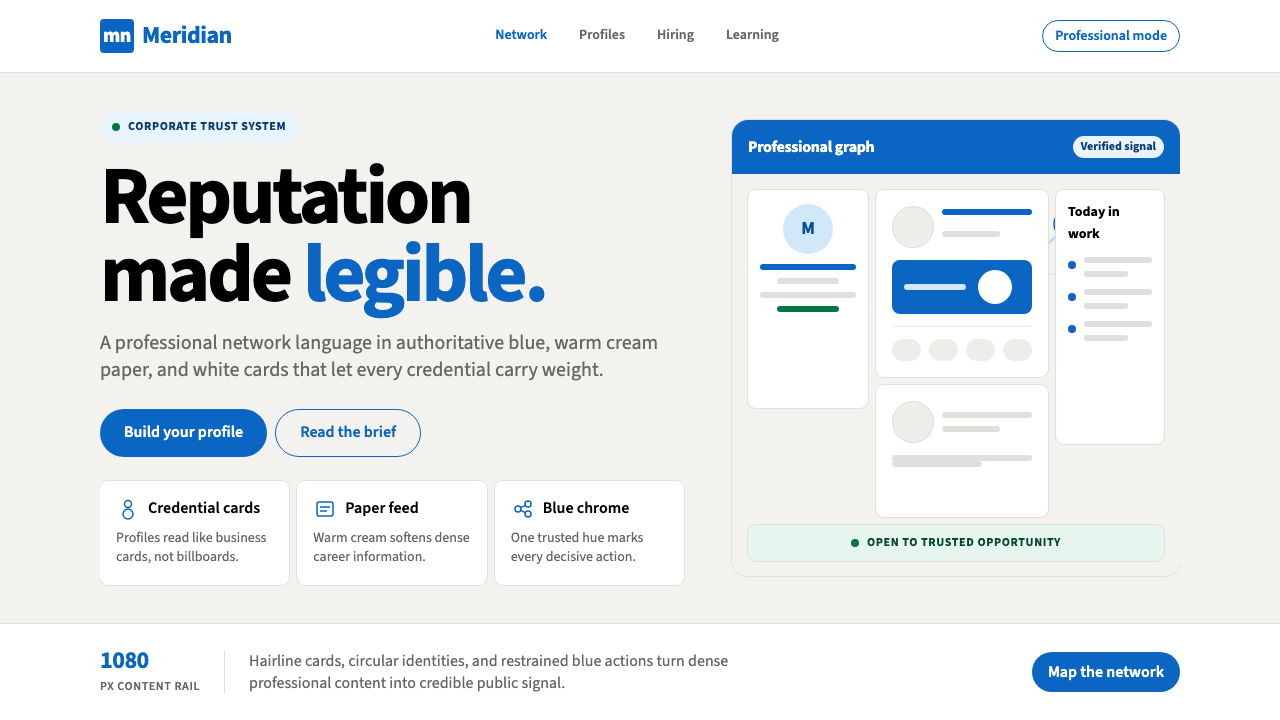 LinkedInCorporate trust, digitized. Authoritative blue frames white cards on warm cre…
 Shopify ModernMerchant ally, not corporate SaaS. Emerald actions on bordered white cards ca…
 Tel Aviv Silicon WadiEnterprise feels sunny. Azure chips and Poppins grids soften flat SaaS surfac…
 Toss Korean Fintech BlueMoney feels instant. Signature blue, Pretendard scale, and one-screen transfe…
 Zoom Meeting BlueRemote work's default discipline. One saturated cobalt on pure white, Inter s…
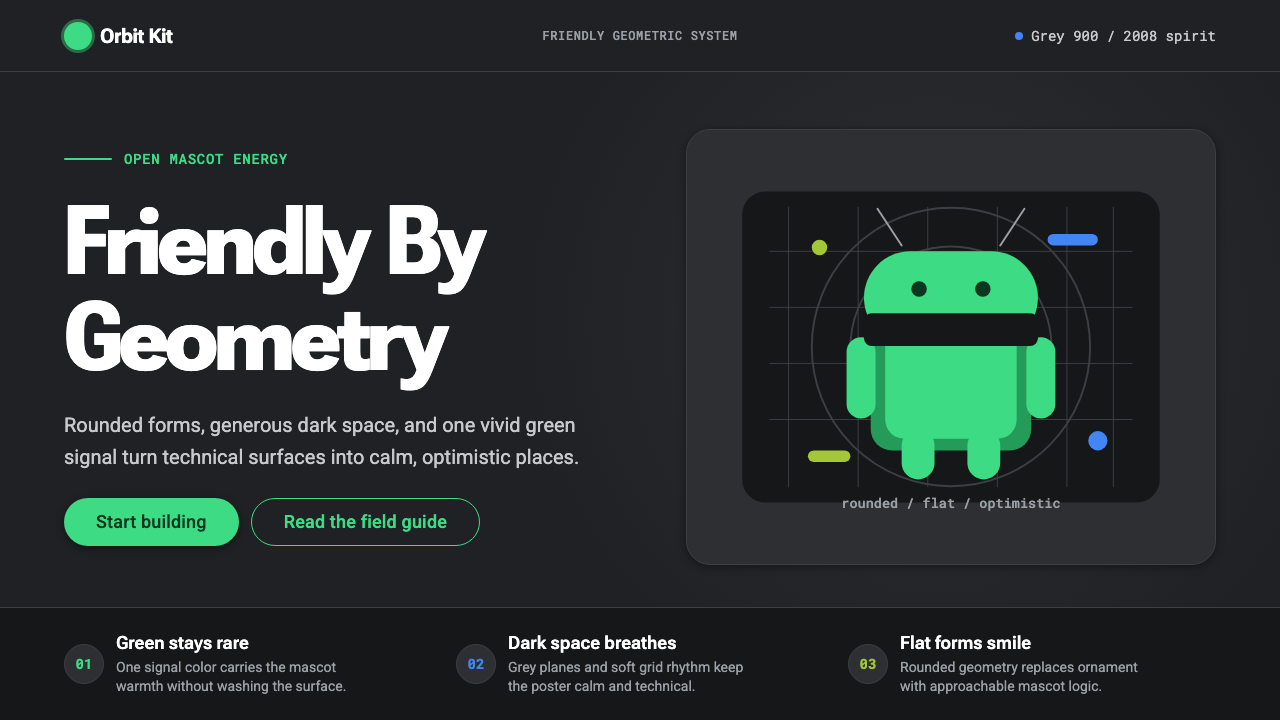 Android Bugdroid GreenFriendly tech, reduced to geometry. Vivid green pops from Grey 900 and rounde…