Developer docs
Curio is a design library for AI. Browse the catalog, then hand any style to your agent three ways — a share link, the MCP server, or a downloaded DESIGN.md. This guide covers all three, plus per-client setup, tools, sign-in, and credits.
Overview#
Every design in the catalog has a stable address and a complete, machine-readable spec — color, typography, spacing, shapes, motion. Point your AI at one and it reads the spec, then applies that look to whatever you are building.
There are three ways to hand a style to an agent, in the order most people should try them:
- Copy a share link — nothing to install, works in any AI that can open a link: Claude, ChatGPT, Gemini, WorkBuddy, Qoder, DeepSeek, Kimi. Start here.
- Connect over MCP — a one-time setup for clients that support it; your agent then searches and applies styles without leaving the chat.
- Download — grab a style's
DESIGN.mdfrom its page and hand it over as a file.
Quick start#
The fastest path: open any style's page, unlock it, then choose Hand off to My AI → Copy share link and paste it into your agent with what you want restyled.
Restyle this slide deck with the Curio design at:
https://designbycurio.com/i/<token>
Your agent fetches the spec behind the link and rebuilds the work in that style. The same link works in Claude, Cursor, Codex, Gemini, ChatGPT, or any MCP-aware tool. Prefer a permanent connection? Connect over MCP instead.
Share linkStart here#
Each style has a unique share link of the form designbycurio.com/i/<token>, generated from its page once you have unlocked the style. Paste it into your agent and it retrieves the full spec and applies the style. Nothing to install and nothing to configure — if your AI can open a link, this works. Links stay live for 15 minutes; making a new one is always free.
Step by step
-
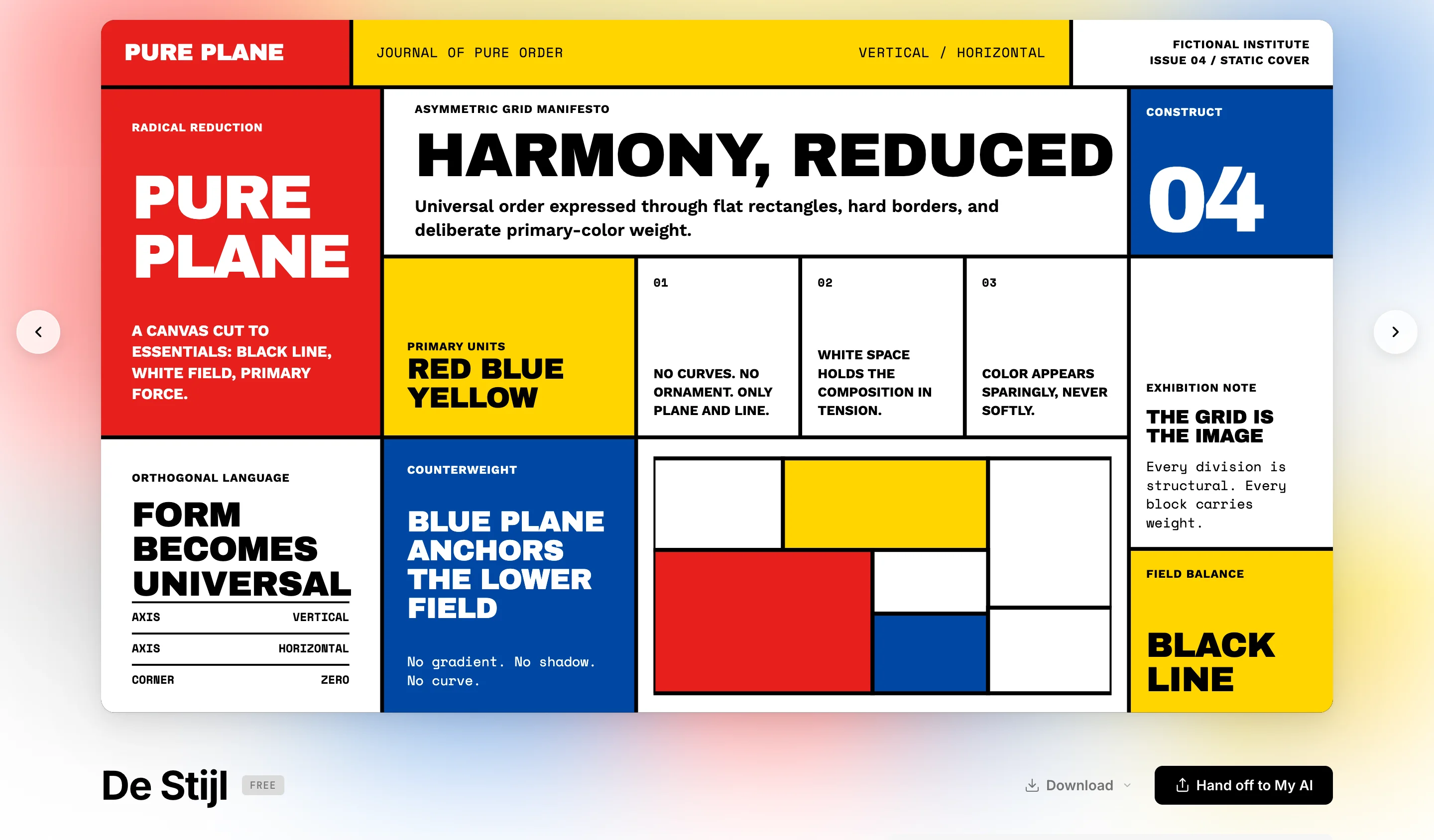
Pick a style and unlock it
Browse the gallery and open the style you want. Every style has its own page with the full preview. Unlock it with 1 credit and the page shows Hand off to My AI.
-
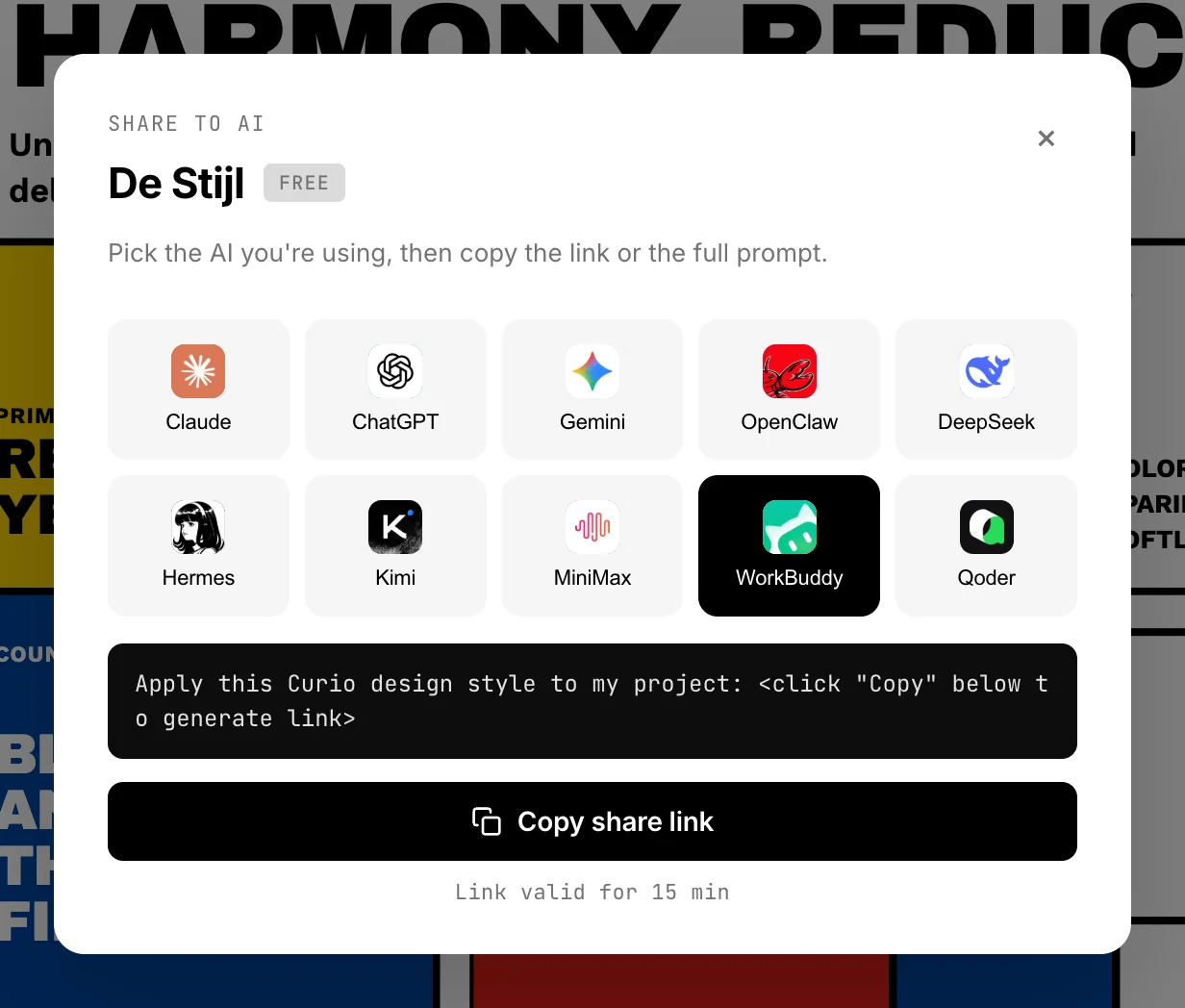
Click “Hand off to My AI”, then pick your AI
The button opens a panel of AI clients. Choose the one you are using — Claude, ChatGPT, Gemini, WorkBuddy, Qoder, DeepSeek, Kimi, and more. Picking one is what arms the copy button below it.
-
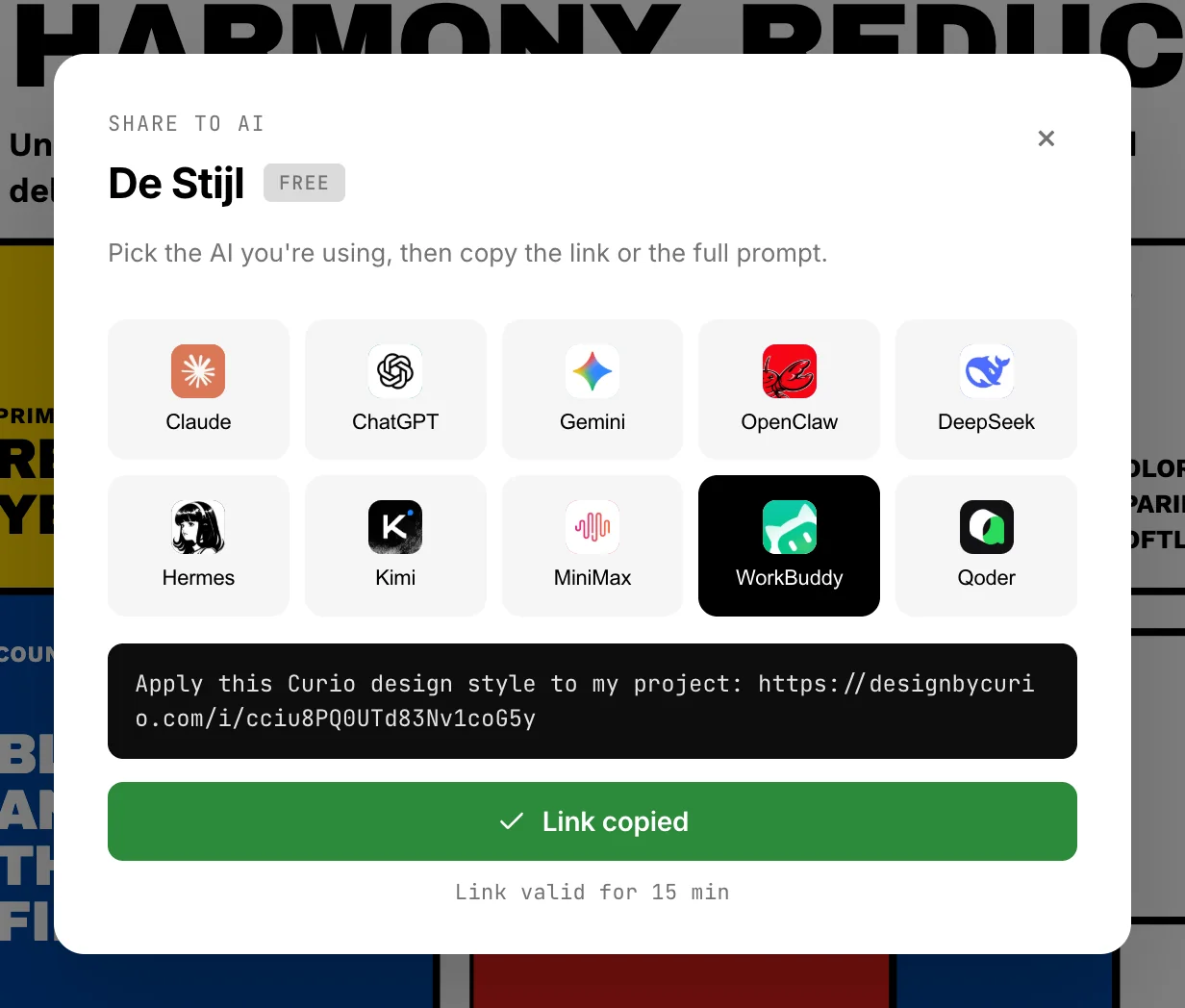
Copy the link and paste it to your AI
Click Copy share link. Curio mints the link and copies it together with a ready-made prompt, so you can paste the whole thing straight into the chat and add what you want restyled.
Fetch over HTTP
Prefer plain HTTP? A share link responds to the Accept header — curl it for the raw DESIGN.md, or request JSON for an agent-ready manifest.
curl https://designbycurio.com/i/<token>          # → DESIGN.md (markdown)
curl -H "Accept: application/json" \
     https://designbycurio.com/i/<token>          # → agent manifest
Over MCP#
A share link carries one style. MCP wires in the whole library: your agent searches it, reads it and applies styles without leaving the conversation. It costs a one-time setup and only works in clients that support MCP — if pasting a link each time suits you, the section above is all you need.
One server URL, sign in once with OAuth, no API keys.
https://mcp.designbycurio.com/mcp
Add that URL in your client and complete the OAuth sign-in. Per-client steps are in Connect your client below.
Download#
Once a style is unlocked, its page has a Download DESIGN.md button — one spec file written for both humans and agents. Download it as often as you like.
The DESIGN.md file
A single Markdown file: YAML front-matter, then a section per design aspect. The exact token values live in the body — the structure looks like this. New to the format? Read What is a DESIGN.md? for the full background.
---
name: <style name>
origin: <place, year>
era: <era bucket>
---

# <Style name>
A short description of the look and the rules behind it.

## Colors       # palette + roles
## Typography   # families, scale, tracking
## Spacing      # the spacing rhythm
## Shapes · Shadows · Motion · Composition
Claude#
Claude Desktop & claude.ai: open Settings → Connectors → Add custom connector, paste the server URL, and sign in when the OAuth window opens. (Free accounts can add one custom connector.)
Claude Code: add the server from the CLI, then run /mcp in a session to finish the OAuth sign-in.
claude mcp add --transport http curio https://mcp.designbycurio.com/mcp
Cursor#
Add Curio to ~/.cursor/mcp.json (or via Settings → MCP). Cursor opens a browser to sign in on first use.
{
  "mcpServers": {
    "curio": { "url": "https://mcp.designbycurio.com/mcp" }
  }
}
VS Code (Copilot)#
In Copilot agent mode, add Curio to .vscode/mcp.json (or your user MCP config). VS Code opens a browser to authorize on first connect.
{
  "servers": {
    "curio": { "type": "http", "url": "https://mcp.designbycurio.com/mcp" }
  }
}
Codex#
The Codex CLI and IDE extension share ~/.codex/config.toml — add the server with one command:
codex mcp add curio --url https://mcp.designbycurio.com/mcp
In the Codex desktop app, connect it from the Plugins panel instead — add the same server URL there.
ChatGPT#
Custom MCP connectors need Developer Mode (Plus, Pro, Team, Enterprise — not Free). Turn it on, then go to Settings → Connectors → Create and enter the server URL https://mcp.designbycurio.com/mcp.
WorkBuddy#
WorkBuddy (Tencent) reads a share link straight out of the chat — paste it with what you want restyled and you are done, no setup. That is the recommended route. See the share-link walkthrough
Over MCP Experimental
Open 插件 (Plugins) in the sidebar, click MCP 服务器 (MCP Servers) at the top right, then 配置 MCP (Configure MCP) and add the server. Save, then enable it in the connector list to authorize.
{
  "mcpServers": {
    "curio": { "url": "https://mcp.designbycurio.com/mcp" }
  }
}
WorkBuddy's own MCP examples are local command servers, and Curio is a remote OAuth server that issues no token to paste — so whether the handshake completes depends on your version. If it asks for a token, use the share link instead.
Qoder#
Qoder (Alibaba) also takes a share link pasted into the chat — the fastest way to try a style. See the share-link walkthrough
Over MCP
Click the user icon at the top right, open Qoder 设置 (Settings), choose MCP in the left pane, then 我的服务 (My Services) → + 添加 (Add) and paste the config. Qoder detects streamable HTTP from the URL, so no type field is needed.
{
  "mcpServers": {
    "curio": { "url": "https://mcp.designbycurio.com/mcp" }
  }
}
Once the link icon shows the service is ready, expand it to see Curio's tools. If your version cannot complete the OAuth sign-in, fall back to the share link.
Other clients#
Any client that supports a remote streamable-HTTP MCP server with OAuth works — point it at https://mcp.designbycurio.com/mcp and sign in.
Antigravity Experimental
Antigravity leans on header / bearer-token auth for remote MCP, while Curio is pure OAuth (no token to paste). The OAuth handshake may not complete in every version — if it connects, add the server via Manage MCP Servers → View raw config; otherwise use one of the OAuth-native clients above.
Manus Experimental
Manus connectors typically expect a bearer token in the Authorization header, while Curio uses pure OAuth and issues no token. If your version supports a standard OAuth MCP connection, add the server URL in its connector settings; otherwise Curio can't be connected from Manus yet.
GitHub resources#
- Curio on GitHub
- MCP repository & setup — Client installation guides and integration issues.
- Design skill (free) — 105 free design systems and guidance for applying them with your AI.
The skill bundles local files; it does not require an MCP connection. Website downloads, share links, and MCP retain their account and credit requirements.
MCP tools#
Once connected, your agent has these tools. Everything is free except unlocking a style, and your AI asks you before it does that.
| Tool | What it does | Cost |
|---|---|---|
search_styles | Search by use, mood, color, era or name | Free |
list_styles | List the catalog | Free |
get_style | One style's introduction + cover and scene previews | Free |
get_style_spec | Full DESIGN.md for a style you have unlocked; for a locked one, returns not_unlocked with the cost and your balance | Free |
unlock_style | Unlock a style after you agree, then return its full spec | 1 credit |
get_balance | Your credit balance and how many styles you have unlocked | Free |
Just ask in plain language, e.g. “Find a Bauhaus style and apply it to my slides.” Your agent searches, fetches the spec, and applies it.
Sign-in & permissions#
OAuth, no API keys. Connecting means signing in. Curio uses standard OAuth with Dynamic Client Registration, so there's no key or token to create, paste, or rotate.
Asks before spending. The connection reads the design library. The only thing it can change is your credit balance — unlock_style spends 1 credit, and your AI asks you before calling it. It never touches your files, your repository, or your data.
Revoke anytime. Manage connected apps on the connected apps page in your account; revoking immediately invalidates that client's access. Deleting your account revokes every connection — your AI client will ask you to connect again.
Credits#
The website, share links and MCP share one credit balance and one list of unlocked styles. Credits come in one-time packs — no subscription, and they never expire. See pricing for the current packs.
What costs a credit?
Only unlocking a style: 1 credit, once, and the style is yours for good. After that its downloads, share links and MCP fetches are free, from any device or client. Searching, listing, reading introductions and get_balance never cost anything.
Can I use Curio without credits?
Yes — sign in, connect, search and browse the whole library, read every introduction and see every cover and scene preview. Credits are only needed to unlock a style's full spec.
What happens when I run out?
Unlocking returns insufficient_credits. Everything you already unlocked keeps working, and browsing and search stay free. Buy another pack on the pricing page to unlock more.
What happens after a refund?
A refunded or charged-back payment takes back all of that pack's credits, so your balance can go below zero. While it is negative, downloads, share links and MCP fetches return balance_negative; they work again once the balance is back to zero or above. Your unlocks are kept. See the Terms for when a pack can be refunded.