What is GitHub README Markdown (2014)?
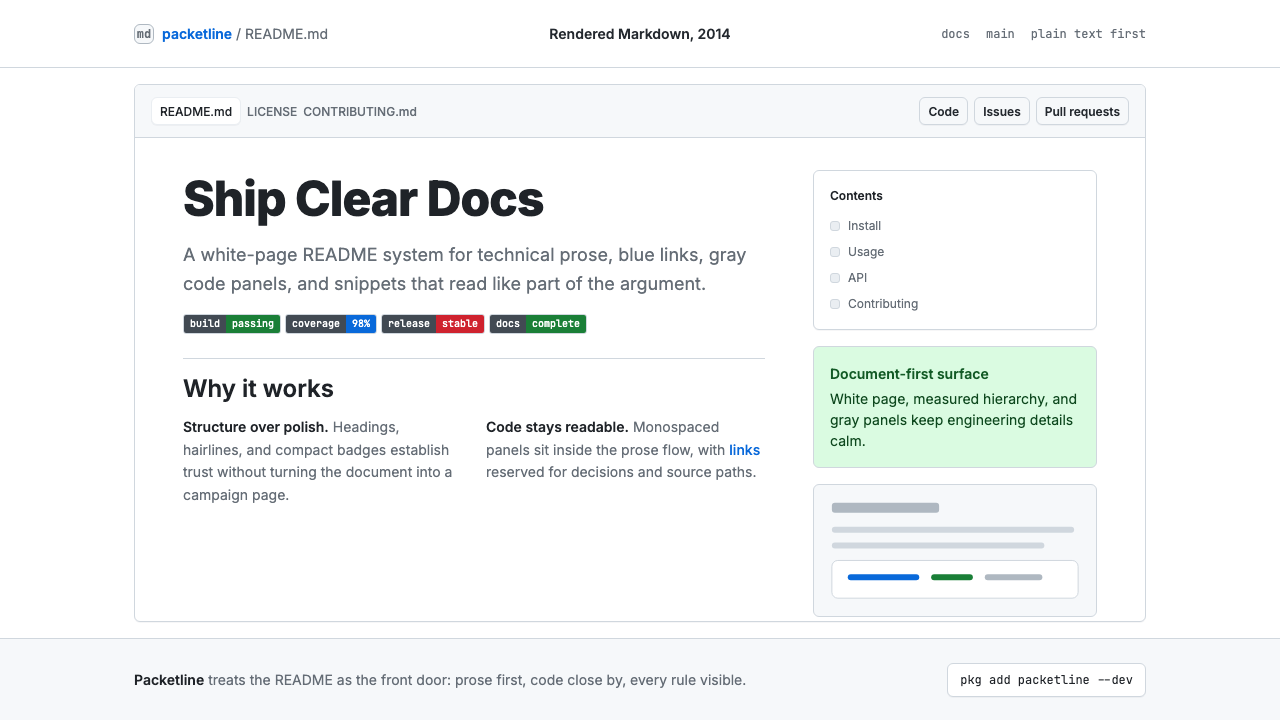
GitHub's README turned a plain-text formatting convention into the universal visual grammar of open-source software — calm, flat, and built entirely around the authority of well-structured information.
GitHub README Markdown (2014) in brief
GitHub README Markdown is the visual system that emerged from GitHub's rendering of the Markdown lightweight markup language — first popularized by John Gruber in 2004, then refined into GitHub Flavored Markdown (GFM) and formalized around 2014. Its canonical look is immediately recognizable: white page ground, black body text at a comfortable reading width, blue hyperlinks, gray-tinted code blocks in a monospaced typeface, horizontal rules as section dividers, and rows of colorful shields.io status badges near the top of every serious project. Together these elements compose a visual language that is rigorously flat, typographically restrained, and entirely optimized for scannable technical prose.
The system is not a deliberate art-directed aesthetic in the way that Bauhaus or Swiss International Style are — it emerged organically from the constraints of Markdown's plain-text origins and the practical requirements of developer documentation. Precisely because it was never formally designed, it achieved a kind of universal neutrality: it looks authoritative without appearing designed, readable without demanding attention, and professional without any expenditure on visual production. That neutrality became its power. By the mid-2010s, developer tools, open-source libraries, API documentation, and technical portfolios worldwide had converged on this rendering as the default backdrop for serious technical work.
In retrospect, the GitHub README aesthetic represents a distinct moment in software culture — the period when open source moved from enthusiast hobbyism to professional infrastructure, and when documentation quality became a signal of project maturity. The visual conventions that accumulated in this period (the badge row, the installation code block, the table of contents anchor links, the contributor table) are as much cultural artifacts as design decisions. Applying this aesthetic today is an act of deliberate citation: it signals technical seriousness, open-source ethos, and a preference for clarity over decoration.

Where does GitHub README Markdown (2014) come from?
The story begins in 2004, when writer and developer John Gruber released Markdown — a plain-text formatting syntax designed to be readable as-is and convertible to clean HTML. Gruber's central insight was that email conventions had already established a de facto plain-text markup: people used asterisks for emphasis, hyphens for lists, and indentation for code. Markdown formalized these conventions into a specification. The original goal was not to define a visual aesthetic but to eliminate the friction of writing HTML by hand, letting writers focus on structure and content.
GitHub launched in 2008 and adopted Markdown as its native format for repository README files, wiki pages, and issue comments. As GitHub grew from a niche developer tool into the central hub of global open-source collaboration, its specific rendering choices — the typeface stack, the gray code block, the blue link color, the section divider weight — became the reference implementation. Other platforms and documentation tools converged on similar aesthetics, but GitHub's rendering remained the canonical version. By 2014, GitHub had formalized its variant as GitHub Flavored Markdown (GFM), adding tables, task lists, fenced code blocks with syntax highlighting, and automatic URL linking — features that pushed the format from a simple markup language toward a full-featured documentation substrate.
The shields.io badge system, which emerged in the early 2010s from the open-source community itself, became a defining layer of the aesthetic. Badges communicated build status, test coverage, license type, package version, and download counts — live metadata rendered as small, flat, color-coded rectangles. Their visual logic is a microcosm of the whole system: information density without decoration, color used only to signal status (green for passing, red for failing, gray for neutral), and a horizontal rhythm that reads like a metadata dashboard at the top of every well-maintained repository.
The key figures who shaped this aesthetic include Gruber as the originator of Markdown's philosophy; Tom Preston-Werner, GitHub's co-founder, who championed the README as a project's primary communication surface; and Sindre Sorhus, the Norwegian open-source developer whose prolific library work helped establish the conventions of the exemplary GitHub README — the installation section, the API documentation pattern, the badge row, the contributing guidelines. The GitHub Primer design team, which maintained GitHub's design system from the mid-2010s onward, codified the rendering into consistent components and documented it as a repeatable system, transforming what had been an emergent folk aesthetic into an intentional, maintained visual language.
What defines the GitHub README Markdown (2014) look?
White Ground and Breathing Space
The page ground is pure white or near-white, and content is contained within a centered column of generous but not excessive width — wide enough for comfortable reading, narrow enough to prevent exhausting line lengths. Generous vertical spacing between sections means that each block of content — a paragraph, a code snippet, a table — is clearly separated without the need for decorative dividers. The whitespace is not emptiness but structure: it does the organizational work that borders and backgrounds do in denser visual systems.
Typographic Hierarchy by Scale Alone
Heading levels are differentiated almost entirely by scale and weight — the largest heading is noticeably bolder and taller than the second level, which is in turn clearly distinct from body text. Color plays almost no role in the typographic hierarchy; the system relies on size, weight, and the subtle visual boundary of a light bottom border under first- and second-level headings to signal structure. Body text is set at a comfortable reading size with a line height that feels open rather than cramped. The result is a page that communicates its own organization without graphic decoration.
Gray Code Panels and Monospaced Cadence
Code blocks — whether inline snippets within a sentence or full multi-line fenced blocks — are rendered in a monospaced typeface against a light gray tinted panel. This visual distinction between prose and code is one of the most load-bearing elements of the system: it allows a reader to scan a page and instantly identify what is explanatory text and what is literal syntax. The gray panel is quiet enough not to interrupt reading flow but distinct enough to serve as a reliable landmark. Syntax highlighting within code blocks adds subtle color differentiation — keywords, strings, and comments rendered in different tonal values — without departing from the overall calm of the page.
Blue Links as the Only Accent Color
Hyperlinks are rendered in a medium, unsaturated blue that reads clearly against white without dominating the page. This blue carries the entire navigational and relational load of the document — everything that is connected to something else is this color. Outside of badge graphics and syntax highlighting, the blue link is the only chromatic accent in an otherwise achromatic page. Its restraint is meaningful: because only links are blue, the color acts as a reliable affordance signal. A reader learns almost immediately that blue text is interactive, and no other visual element competes with that signal.
Badge Rows as Visual Metadata
The horizontal row of shields.io badges near the document top functions as a compact metadata dashboard. Each badge is a small, flat, pill-shaped graphic divided into a dark label segment and a status-colored value segment — green for healthy states, red for failures, yellow for caution, gray for neutral information, and blue for informational links. The badges borrow traffic-light color logic and apply it to software lifecycle signals: build passing, tests covered, version released, license declared. Visually, a dense row of badges immediately communicates that a project is actively maintained and that its maintainers consider documentation a first-class concern.
Tables and Lists as Information Structure
Markdown tables and ordered or unordered lists are rendered with the same quiet authority as everything else on the page — light dividers between table rows, consistent indentation for nested lists, no decorative styling beyond what is structurally necessary. Tables use alternating row tinting so faint it barely registers, yet sufficient to keep the eye tracking horizontally across dense data. Lists use plain bullet glyphs with consistent left margin. The overall effect is that complex structured information — comparison tables, API parameter lists, step-by-step installation sequences — can be presented in a single visual register without visual noise.
Flatness and Anti-Skeuomorphism
The entire rendering is rigorously flat. There are no drop shadows on elements, no gradient fills, no simulated depth or dimensionality. Even the gray code panel sits flush with the page rather than appearing to float above it. This flatness was partially a consequence of Markdown's plain-text origins — the format was not designed to carry design tokens — and partially a product of the 2010s broader move toward flat design in digital interfaces. But in the README context, flatness serves a specific purpose: it keeps the visual system from ever competing with the content. The design is a substrate for information, not a layer on top of it.

Who shaped GitHub README Markdown (2014)?
Gruber created Markdown in 2004 with the explicit goal of making web writing feel as natural as composing email — the plain-text source should be legible without any rendering. His fundamental insight, that existing typographic conventions in plain email already constituted an informal markup language, gave Markdown its distinctive character: a format that privileges human readability of the source over machine processing efficiency. This philosophy embedded itself in the entire GitHub README aesthetic, which always maintains a clear relationship between the raw text and its rendered form.
As GitHub's co-founder, Preston-Werner championed the README file as a software project's primary public face — a conviction captured in his 2010 essay 'Readme Driven Development,' which argued that writing the README before writing any code forces clarity of thought about what the software is actually for. This philosophical framing elevated the README from a convenience to a discipline, and indirectly shaped the visual culture of developer documentation by making the README the artifact that every serious open-source project was judged by.
The Norwegian open-source developer and prolific library author became one of the most influential practitioners of the exemplary README. With hundreds of npm packages maintained to a consistent documentation standard, Sorhus established many of the structural conventions — the installation section, the API reference pattern, the badges row, the contributing section, the license declaration at the bottom — that define what a well-maintained README looks like. His repositories function as a living style guide for the aesthetic.
The GitHub Primer design system team, active from the mid-2010s onward, transformed what had been an organically accumulated visual folk standard into a deliberately maintained and documented design system. Primer codified the rendering decisions — typography scale, spacing rhythm, component patterns, color tokens — into public documentation and open-source components. By making the system explicit and reusable, Primer ensured that the GitHub README aesthetic could be intentionally applied beyond GitHub itself, and it provided the vocabulary for describing the style as a coherent visual language rather than a collection of browser defaults.
Sauter initiated the shields.io project, which standardized the visual format for the badge ecosystem that became one of the README aesthetic's most distinctive layers. The shields.io badge format — a horizontally divided pill shape with a label on the left and a value on the right, rendered in flat color without gradients or shadows — is a small masterpiece of information design: it packs project lifecycle metadata into a scannable, universally understood graphic form. The badge standard spread across the open-source ecosystem and is now used by millions of repositories.
How do you use GitHub README Markdown (2014) today?
Applying the GitHub README aesthetic to designed artifacts — slides, web interfaces, marketing materials — requires understanding what the style is actually doing at a structural level. It is not a collection of decorative motifs but a set of convictions about how information should be organized and presented: hierarchy through scale, color reserved for function, flatness as a form of respect for content, and whitespace as the primary organizational tool. Starting from those convictions produces more authentic results than starting from a visual reference and copying surface features.
For presentation slides, the style works exceptionally well when the content is technical, comparative, or instructional. A cover slide benefits from the system's typographic directness: a large, weight-differentiated title against a white ground, possibly accompanied by a small badge row that mimics the README's metadata dashboard — version, category, date. Content slides should resist the temptation to fill the slide; the README aesthetic is comfortable with density in text and tables, but requires generous whitespace around content blocks. Code-heavy slides — showing API responses, configuration snippets, or terminal output — gain authority from the gray code panel treatment: monospaced text on a quietly differentiated background, no framing chrome beyond the panel itself. Data slides translate well as diagram-like objects: clean bar charts and simple tables without grid lines, color used only to signal category or status, no decorative fills.
For web UI applications — dashboards, developer tools, pricing pages, and documentation sites — the style is a natural fit. The approach: a near-white or true-white background, a single centered or left-anchored content column at a comfortable reading width, black body text, blue only for interactive elements and navigation links, gray-panel treatment for any displayed code. Card components and containers should have subtle borders rather than shadows, keeping the page flat. Navigation should be typographically simple — text labels, no icon clusters. A developer-facing pricing page benefits from a comparison table rendered in the system's quiet table style: light row dividers, a single column highlighted with a blue border or subtle background tint to indicate the recommended tier.
For editorial and marketing work, the style's authority translates into a kind of anti-advertising confidence. A GitHub README-styled landing page or editorial layout signals that the content leads — there is no visual persuasion machinery, just well-organized information. Feature sections work as structured lists or definition-style blocks rather than illustrated cards with soft shadows. Section headers use the heading scale directly from the document style, possibly accompanied by a subtle horizontal rule. Calls to action should be typographically bold with the blue link color extended to button styling. Marketing copy benefits from the style's natural constraint: if the visual system refuses decoration, the writing must do the persuasive work, which usually makes both better.
A common mistake when applying this aesthetic is adding visual richness in ways that the system structurally opposes. Soft drop shadows on cards, gradient backgrounds in hero sections, multiple typefaces mixing serif and sans-serif, or custom illustration styles all pull against the flatness and typographic singularity that give the style its authority. Similarly, overusing the badge visual metaphor — decorating non-technical content with badge-shaped elements for purely aesthetic reasons — empties the badge of its functional meaning. The style's restraint is not a starting point to be decorated but a discipline to be maintained. Every element that does not serve a clear informational purpose should be removed, not substituted with something quieter.

GitHub README Markdown (2014) — FAQ
Is the GitHub README aesthetic the same as flat design?
They overlap significantly but differ in origin and intent. Flat design, as a trend articulated around 2012 to 2014, was primarily a reaction against skeuomorphism in mobile and web UI — it was a design movement with aesthetic ambitions. The GitHub README aesthetic is flat for practical reasons that predate the trend: Markdown's plain-text origins mean the format carries no styling instructions, and GitHub's rendering engine filled that vacuum with choices that happened to be flat, restrained, and typographically simple. The README aesthetic also has elements flat design rarely features — the monospaced code block, the badge system, the horizontal rule as a structural element — that are specific to technical documentation rather than to flat design as a style movement.
Can the README aesthetic work for non-technical audiences and content?
Yes, but it requires intentional reframing. The style carries strong technical and developer connotations — it immediately signals 'software documentation' to anyone familiar with open-source repositories. Applied to non-technical content, that connotation can work as a deliberate positioning choice: a fintech product, a data journalism piece, a research summary, or a policy brief can all benefit from the style's signals of rigor and information density. The risk is that the style reads as cold or institutional in contexts where warmth or creativity is expected. The key test is whether the content's subject matter benefits from appearing authoritative and rigorously structured — if yes, the README aesthetic is a reasonable choice; if warmth or sensory richness is a primary value, a different approach will serve better.
How do badges fit into designed artifacts — are they always appropriate?
Badges work best when they are carrying genuine structured metadata — status, category, version, certification level — and when the audience is accustomed to reading that metadata quickly. In a developer tool landing page or a technical slide deck, a badge row near the top is immediately legible and useful. In a consumer-facing product, the same element reads as technical jargon. The badge metaphor can be borrowed for general status indicators — a pricing tier label, a certification mark, a feature availability indicator — but only if the label-value structure is preserved and the color coding is consistent and meaningful. Badges used purely as decoration, without functional status content, drain the system of its authority.
What distinguishes an authentic application of this style from a superficial imitation?
The authentic application starts from the underlying discipline: every visual element must serve an informational function, and elements that do not serve information should be removed rather than decorated. A superficial imitation typically adds the surface signals — a monospaced font here, a gray box there, a blue link color — while retaining decorative habits from other visual traditions: soft shadows, gradient hero backgrounds, multiple typeface families, ornamental dividers. The result looks vaguely technical but lacks the structural rigor that gives the original its authority. The deepest test is whether the absence of decoration makes the design stronger rather than emptier — authentic README-style work becomes more readable and trustworthy as ornamentation is stripped away, while imitations become sparse and unresolved.
Does this style work in dark-background variants?
GitHub itself introduced a dark mode in 2020, which provides the most authoritative answer: yes, with careful adaptation. The dark variant inverts the ground — dark background, near-white body text — but preserves the structural decisions: the code block shifts from a gray tint on white to a slightly lighter tint on the dark ground, links retain their blue but at a slightly adjusted brightness for contrast, and the badge system adapts its color logic to maintain legibility. The key constraint in a dark variant is that the flatness must be preserved: adding depth cues, glow effects, or gradient backgrounds to make the dark version feel 'richer' undermines the system's core discipline. A dark README-style layout should feel like a white README-style layout with the ground color inverted — not like a different visual system that happens to use similar typefaces.
Related design styles
 Cassini Saturn ImagingDeep space feels exact. Butterscotch Saturn floats in black with fine tan rin…
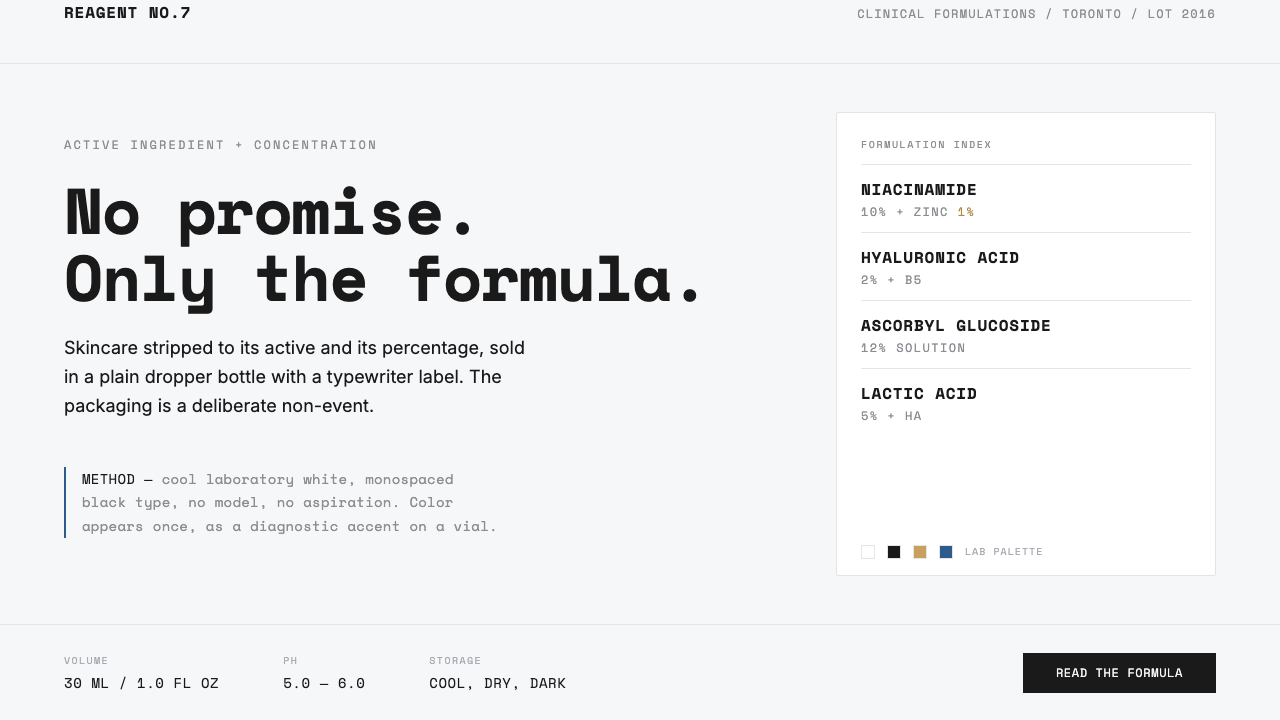 The OrdinaryNo promise, only the formula. Cool lab white, Space Mono labels, color as rar…
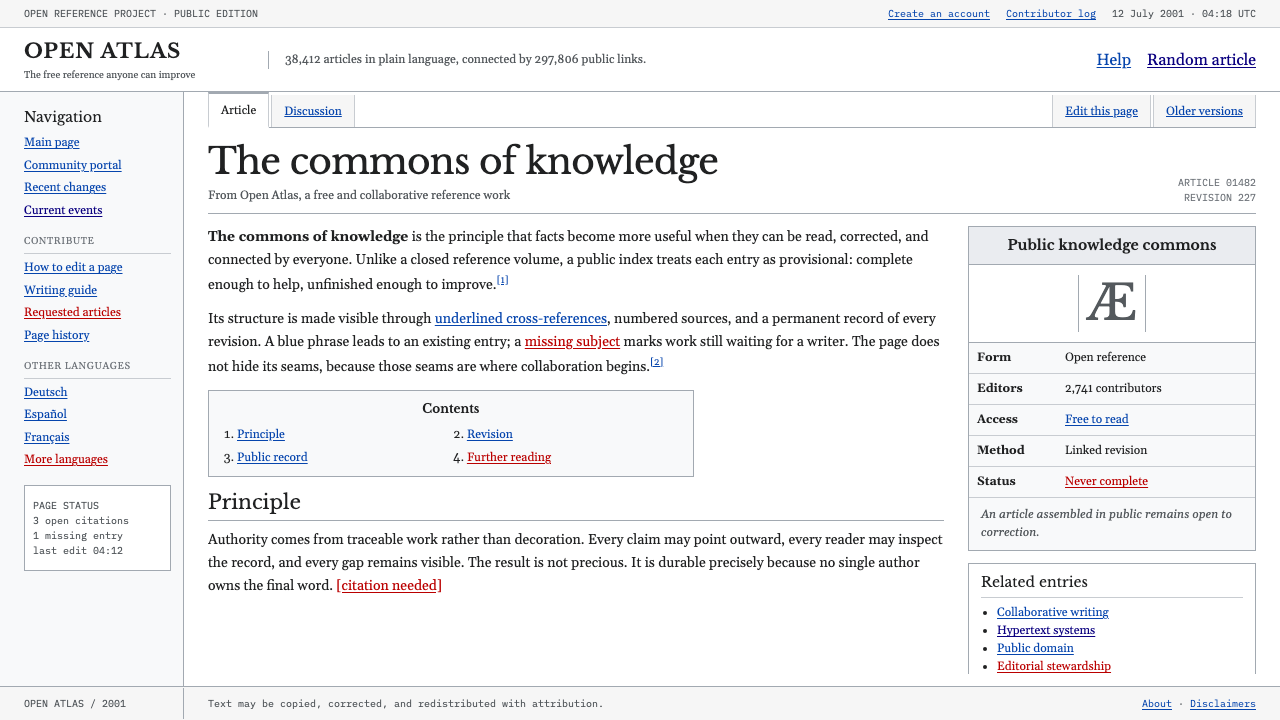 Wikipedia (2001)Content needs no ornament. Black serif text, gray hairlines, and blue links e…
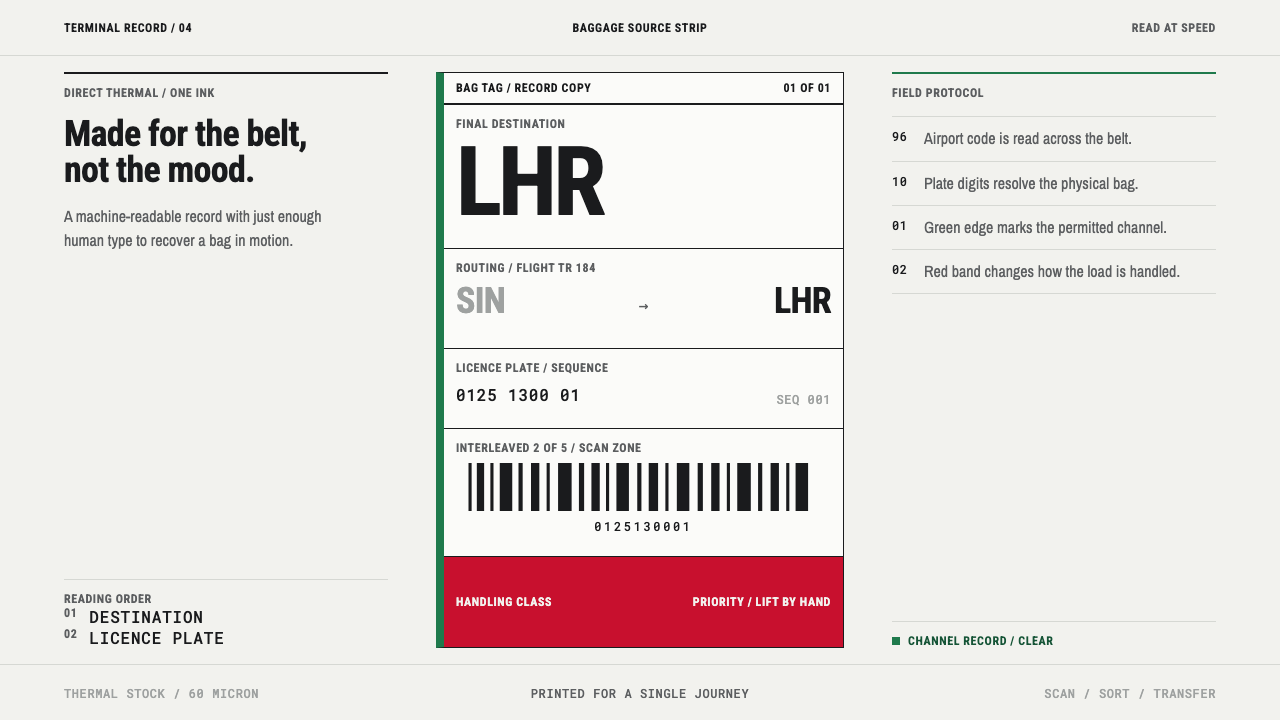 Airport Baggage TagBuilt to be read in motion. Burned-black codes, hard rules and functional cha…
 Climate Refuge Seed ArchiveFacts stay cold. Concrete-grey accession rows meet one turquoise fibre-optic…
 Climbing Topo GuideBeta at a glance. Red route telemetry cuts across near-black stone and conden…