What is Figma 2024?
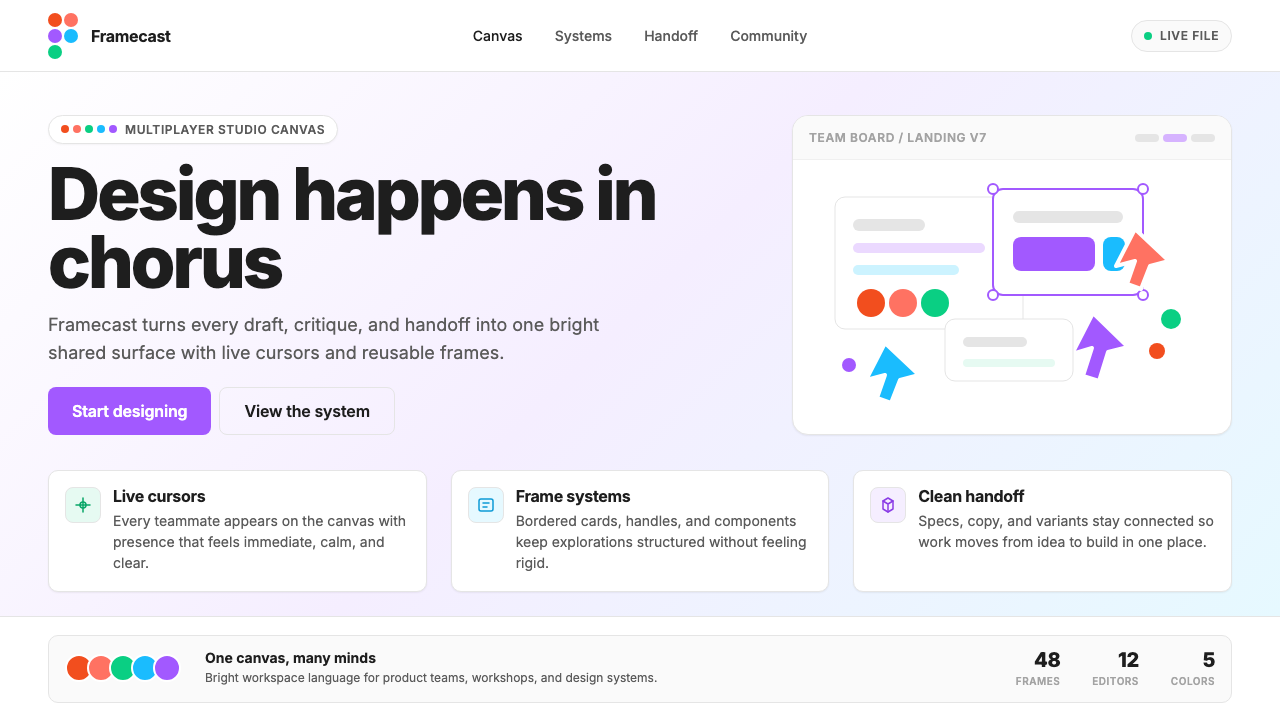
Figma 2024 is the rare brand that looks exactly like its own product — multiplayer cursors as logo, shared-file energy as identity.
Figma 2024 in brief
Figma 2024 is the visual identity system adopted by Figma as its brand reached maturity — a design language that treats the product's own canvas as its aesthetic source. Every marketing surface reads like an open Figma file: generous whitespace structured as frames, soft-cornered cards that echo component libraries, pill-shaped buttons in a signature purple, and decorative selection handles lifted directly from the editor UI. The five logo dots — one each in red, orange, green, blue, and purple — scatter across compositions the way multiple cursors scatter in a shared file, turning the tool's defining social metaphor into a repeatable visual motif.
What distinguishes this identity from conventional tech branding is the degree to which the product experience and the brand experience are deliberately unified. Rather than abstracting away from the tool, Figma 2024 doubles down on it: the same rounded corners, the same soft surface quality, the same confident typographic confidence seen in the application's own interface appear in every ad, conference banner, and splash screen. The palette is simultaneously restrained and vivid — a near-white background keeps things readable and spacious, while the five dot colors provide a full chromatic range that never feels chaotic because they arrive in deliberate, scattered constellations rather than dense slabs.
The style is native to the browser-native, multiplayer SaaS era. It reflects a generation of design tools that grew up in the cloud, treating collaboration as a first-class feature rather than an afterthought. Figma 2024 communicates this ethos visually: nothing about it reads as solitary or static. The cursor-dots imply movement and presence; the open, uncluttered layouts imply room for others to join; the bright, unambiguous colors imply clarity of shared intention.

Where does Figma 2024 come from?
Figma was founded in 2012 by Dylan Field and Evan Wallace, who met as undergraduates at Brown University. Their foundational insight was that design tools did not need to be desktop applications — a fully capable vector editor could live in the browser, enabling real-time collaboration that was structurally impossible in file-based tools like those that dominated the market at the time. The company spent its early years in San Francisco building toward a public launch in 2016, and during that period the product's identity was relatively understated, focused on communicating technical credibility rather than visual distinctiveness.
The brand's visual ambition escalated alongside the product's growth. By the early 2020s, Figma had become the dominant professional design tool, and its design team — led in the brand and product design direction by Chief Product Officer Yuhki Yamashita and the Figma Brand team — began developing an identity that could hold its own at the scale of a major platform. The shift that defines the 2022-to-2024 era is the decision to make the brand literally look like the product: to use the tool's own visual grammar as the brand's visual grammar. Selection handles appear as decorative elements. Frames and cards echo the canvas. The cursor, previously a minor UI detail, became the central brand metaphor.
The five-dot logo itself is the most legible expression of this philosophy. Each dot corresponds to one of the five colors in the Figma identity system, and collectively they echo the multicolored cursors that appear when collaborators are present in a shared file. This was a deliberate reversal of conventional brand logic: instead of designing a mark that represents the company and then building the product separately, Figma took the product's most characteristic visual event — five different-colored cursors moving through a shared canvas — and promoted it to the level of brand identity. The dots are not a metaphor for the product; they are the product, abstracted one level.
The typographic backbone of the system is Inter, the open-source typeface designed by Rasmus Andersson. Inter had already become a de facto standard in product UI design by the time Figma adopted it as its brand typeface — its optical consistency at small sizes, its large x-height, and its legibility on screens made it a natural fit for digital-first products. Figma's use of Inter end-to-end, from brand headlines to interface labels, reinforces the identity's core argument: the brand and the tool are the same thing, rendered in the same materials.
What defines the Figma 2024 look?
Five-Dot Color System
The five signature colors — a warm red, a bright orange, a vivid green, a clear blue, and the brand's defining purple — are deployed not as a flat background palette but as discrete, movable objects. They appear most often as circular dots of varying sizes, scattered asymmetrically across a light ground, mimicking the behavior of cursors in a live collaborative session. Color is never used to fill large fields; it is used to punctuate, to indicate presence, and to give the composition a sense of animated possibility.
Soft Radius and Card Surfaces
Every contained element — buttons, cards, image frames, feature callout boxes — carries a generous, consistent corner radius. This softness is not accidental; it directly echoes the rounded rectangles that designers work with inside the Figma canvas daily. The result is a visual vocabulary that feels simultaneously professional and approachable. Cards sit on near-white grounds with subtle lift, suggesting the layered surface of a canvas with frames stacked in depth, without resorting to heavy shadows or strong borders.
Purple as the Anchor Hue
Among the five brand colors, purple carries the heaviest functional load. It is the color of primary call-to-action buttons, key interactive states, and the most important typographic accents. Its role is analogous to what primary blue does in conventional tech brands — signaling action and trust — but the choice of purple rather than blue gives the brand a slightly warmer, more creative, and less corporate register. The purple pill button is one of the most immediately recognizable UI elements in the contemporary design-tool landscape.
UI-Native Decoration
Decorative elements are borrowed directly from the product interface: selection handles (the small squares at corners and midpoints of selected objects), bounding box outlines, cursor arrows in multiple colors, and layer-panel visual cues all appear as ornamental details in marketing materials. This is a highly unusual strategy — most software brands abstract away from their interfaces in marketing, presenting lifestyle imagery or abstract graphics instead. Figma's decision to foreground UI artifacts blurs the line between product and brand, making the brand feel like a continuation of the tool rather than a separate marketing construct.
Open, Frame-Like Whitespace
Layouts are built around deliberate emptiness. Margins are wide, content blocks are given generous breathing room, and the composition never feels packed or rushed. This spaciousness serves a functional purpose — it makes complex feature communications easier to parse — but it also carries a metaphorical one: a Figma canvas starts empty, and the whitespace in brand materials echoes the unoccupied canvas waiting to be filled by collaborative work. The openness communicates possibility and invitation rather than authority and completeness.
Consistent Typographic Confidence
Type is set with clear scale contrast between headline, subhead, and body levels, but without the dramatic weight extremes sometimes seen in editorial design. Headlines are large and assured without being aggressive; body text is set at a comfortable reading weight with ample line spacing. The single-typeface discipline — using one family throughout with no secondary serif or display face — creates coherence and reinforces the brand's argument that the same visual language works everywhere: in the tool, in the docs, in the ad, on the stage.
Multiplayer as Visual Grammar
The entire system is animated by the concept of multiple simultaneous presences. Where other brands use a single hero image or a single focal point, Figma 2024 compositions tend to feature several distinct elements in dialogue: multiple dots of different colors, multiple cards at slightly different scales, multiple type elements at different hierarchy levels. Nothing is alone. The visual grammar expresses plurality, simultaneity, and co-creation — which is precisely what the product enables.

Who shaped Figma 2024?
Field co-founded Figma in 2012 and has served as CEO since its inception. His conviction that design should be a collaborative, browser-native activity — rather than a solitary desktop process — shaped not only the product architecture but the brand philosophy that followed. The decision to build collaboration into the tool's core, rather than bolting it on later, is ultimately the decision that made the five-cursor-dots identity possible and coherent.
Wallace co-founded Figma and served as CTO, and his technical achievement of building a fully capable vector graphics engine in the browser — using WebGL before it was widely adopted — is the engineering foundation on which the entire product and brand rest. Without the proof that browser-native design tooling was technically viable, the collaborative multiplayer premise that defines both the product and the Figma 2024 identity would not have been possible.
Yamashita joined Figma as Chief Product Officer and has been a central force in the maturation of both the product's design and its brand expression. Under his leadership, the Figma brand team developed the visual language that most people recognize as Figma 2024 — the coherent system of dots, cards, purple CTAs, and UI-native decoration that turned a product-centric design philosophy into a legible, scalable brand identity.
Andersson is the designer of Inter, the open-source typeface that serves as the typographic backbone of the Figma 2024 brand system. Though Andersson did not design Inter for Figma specifically, his typeface had become the dominant default of browser-based product interfaces by the time Figma adopted it, making it not just a practical choice but a culturally resonant one — Inter is, in a sense, the typeface of the era that Figma helped define.
The in-house brand team at Figma — whose individual designers are rarely named publicly — deserves recognition as a collective author of the Figma 2024 system. The decision to use the product's own visual grammar as brand language, to elevate the cursor to the level of logo, and to build a scalable dot-based color system that reads as both orderly and lively across wildly different surfaces required sustained creative conviction and systems thinking. The brand is, in that sense, the most public example of what the team believes good design tooling makes possible.
How do you use Figma 2024 today?
Figma 2024 translates well into presentation design because its underlying structure — clear hierarchy, generous whitespace, restrained color punctuation — is precisely what makes slides legible at scale. For a cover slide, the approach works through contrast and scatter: a large, clean headline in confident type against a near-white ground, with two or three colored dots placed asymmetrically as the only decorative elements, their arrangement suggesting motion rather than static decoration. The dots should never be perfectly centered or evenly spaced — they should feel like cursors caught mid-movement.
Content slides should be built as if they are Figma frames: one clear hierarchy with no more than three text levels, content organized into soft-cornered cards that visually separate sections without requiring heavy dividers or borders, and color used only for emphasis — a single purple accent on a key statistic or call to action, never multiple competing hues on the same slide. Data slides benefit from the same card treatment: charts housed in rounded containers, axis labels at a comfortable reading weight, and data series colored from the five-dot palette with restraint — typically one or two colors per chart, not five.
For web interfaces — dashboards, pricing pages, landing pages, and feature comparison tables — the style's strength lies in its clarity hierarchy and its ability to feel modern without feeling trendy. A dashboard built in this visual language uses a light background throughout, soft-cornered cards for metric blocks, purple for interactive controls and primary actions, and the remaining brand colors used sparingly for status indicators or category differentiation. The layouts should be grid-disciplined with consistent gutters, and the navigation should be primarily typographic — wordmarks, labels, text links — with iconography kept geometric and minimal.
For editorial and marketing applications — conference keynote materials, product launch pages, social cards, and event banners — the style supports high-energy compositions that remain organized. A marketing page in this system alternates between light and very slightly tinted sections rather than between dramatically different background colors; each section features one primary content element (a headline, a feature card, a testimonial block) surrounded by enough space that the element reads clearly at a glance. The colored dots appear most effectively in these contexts as accent objects near section boundaries or floating alongside key product screenshots, where they reinforce the collaborative-canvas metaphor without overwhelming the actual content.
A common mistake when applying Figma 2024 is distributing the five brand colors evenly across a composition — giving equal visual weight to all five simultaneously. In the source material, the dots are always in asymmetric, varied-size constellations where one or two colors dominate a given area and the others appear as secondary accents. Similarly, the rounded corner radius should be consistent throughout a given piece; mixing very rounded and barely-rounded elements within the same layout breaks the visual coherence that makes the style recognizable. The style is also sometimes misapplied to contexts that call for institutional authority — legal documents, financial reports, formal correspondence — where the playful, multiplayer energy works against rather than for the communication.

Figma 2024 — FAQ
Is Figma 2024 a design style I can apply to any kind of project, or is it specific to design-tool branding?
The style is transferable, but with important caveats. Its core strengths — soft cards, clear hierarchy, restrained color punctuation, generous whitespace — work well in any product or marketing context where clarity and a modern, collaborative ethos are desired values. The UI-native decoration elements (selection handles, cursor dots) are most coherent when the product itself is software or a digital platform; applying them to, say, a food brand or a financial services firm would feel unmotivated. The underlying spatial and typographic principles, however, are broadly applicable.
How does Figma 2024 differ from the broader category of flat design or material design?
Flat design and material design are primarily defined by their surface treatment — the former eliminates depth cues entirely, the latter uses a physics-inspired system of elevation and shadow. Figma 2024 sits between them: it uses soft shadows and rounded corners to create gentle depth, but never reaches the explicit elevation system of material design. Its defining characteristic is not a surface treatment but a conceptual one — the brand-product unity, the cursor-as-logo, the multiplayer metaphor embedded in the color system. These conceptual choices give it a specificity that generic flat or material design lacks.
Can Figma 2024 work in dark mode or on dark backgrounds?
The system was developed primarily for light backgrounds, and its five brand colors are calibrated to work against near-white grounds. A dark inversion is possible but requires rebalancing: on a dark background, the orange and yellow dots tend to become too visually loud, while the purple — which is the most functionally important color — maintains its legibility better than others. Dark-background applications work best when the dot palette is reduced to two or three colors maximum and the near-white is replaced with a very dark near-black rather than pure black, which would flatten the subtle card depth that gives the light version its sense of layered surface.
What is the right number of colored dots to use in a composition, and how should they be positioned?
In Figma's own marketing materials, the dot count in any given composition typically ranges from three to seven, and the critical rule is asymmetry: no two dots should be the same size, and none should be evenly spaced from the others. The arrangement should suggest movement — as if each dot is a cursor that arrived at its position from a different direction and stopped mid-motion. Dots cluster loosely rather than forming geometric patterns. Too few (one or two) read as icon decoration rather than identity; too many (ten or more) risk looking like a pattern, which undermines the implied spontaneity of the cursor metaphor.
Is this style suitable for products competing with Figma, or would it look derivative?
The UI-native decoration elements — the selection handles, the cursor dots, the bounding boxes — are so specifically associated with Figma's brand that using them in a competing design tool's marketing would read as imitation rather than inspiration. The broader spatial and typographic principles, however — soft cards, generous whitespace, single-typeface discipline, restrained color punctuation — are not proprietary to Figma and can be applied without that association. A competing product that wanted the clarity and collaborative warmth of this style without the derivative quality would do well to find its own product-specific metaphor to serve the role that the cursor dots serve for Figma.
Related design styles
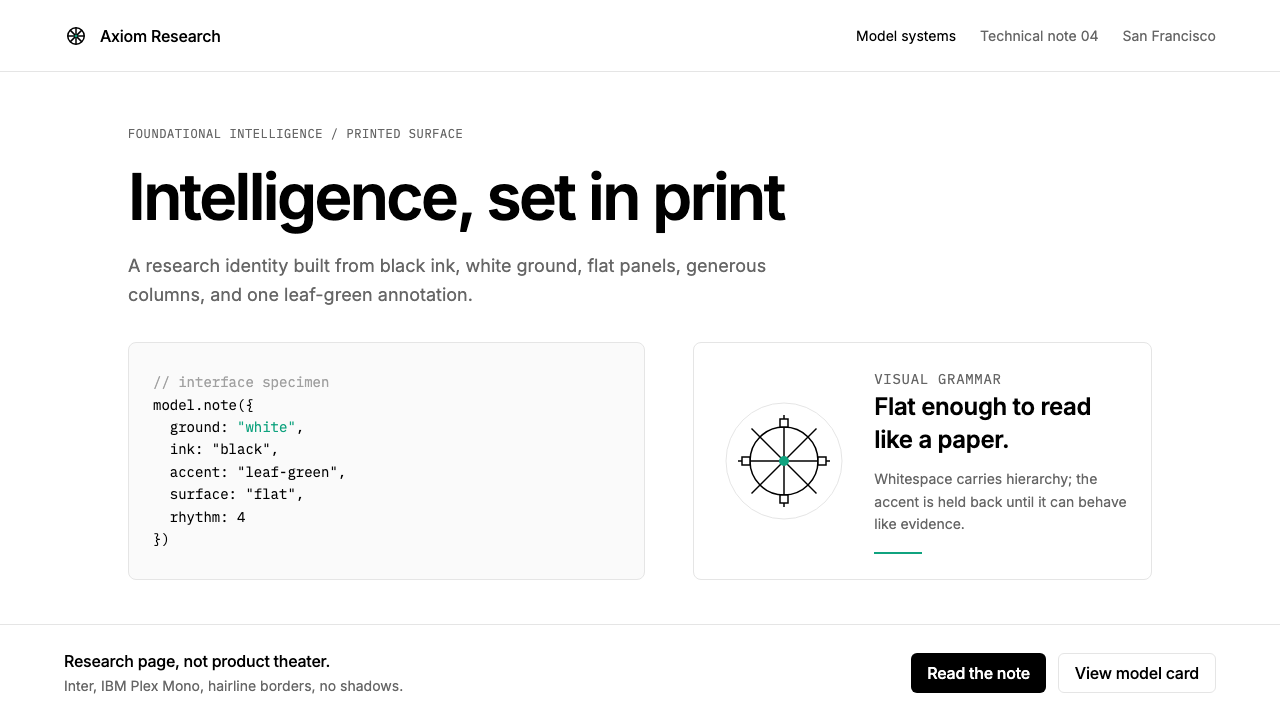 OpenAI 2024Research-grade restraint. Black-on-white Inter, flat code panels, one leaf-gr…
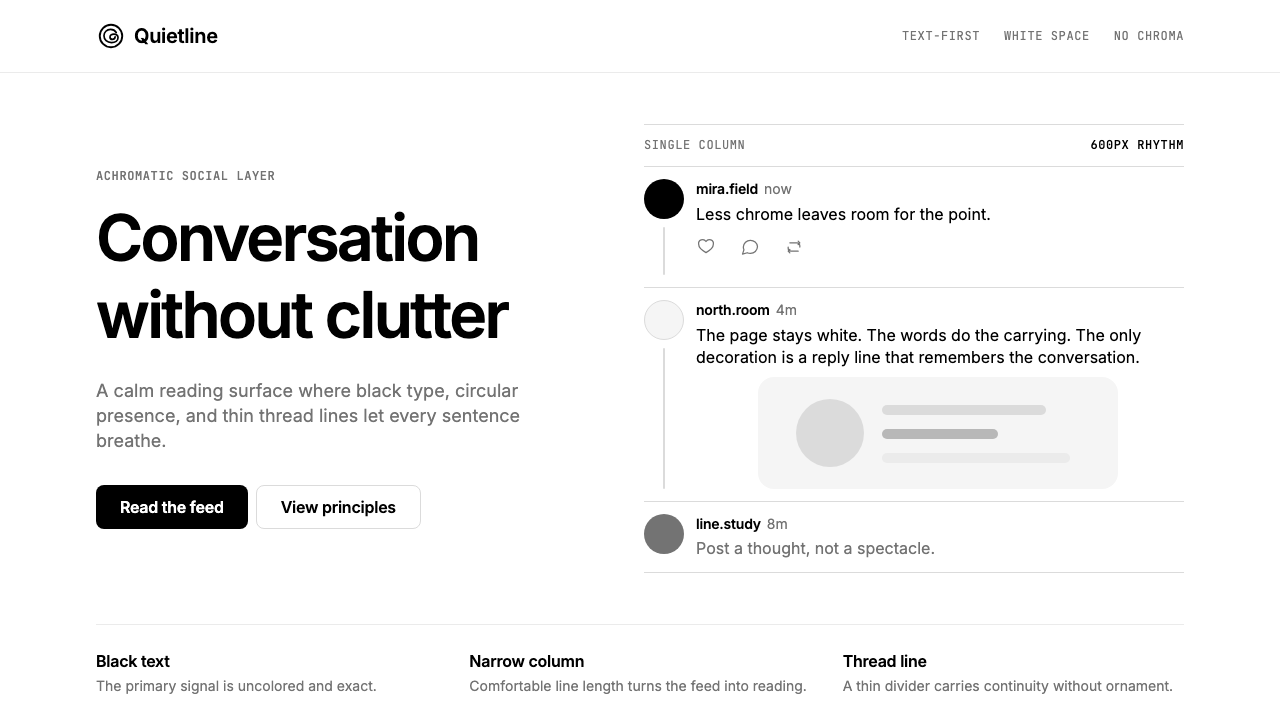 Threads (Meta)Restraint is the brand. Black Inter type, narrow feed, thin connectors, white…
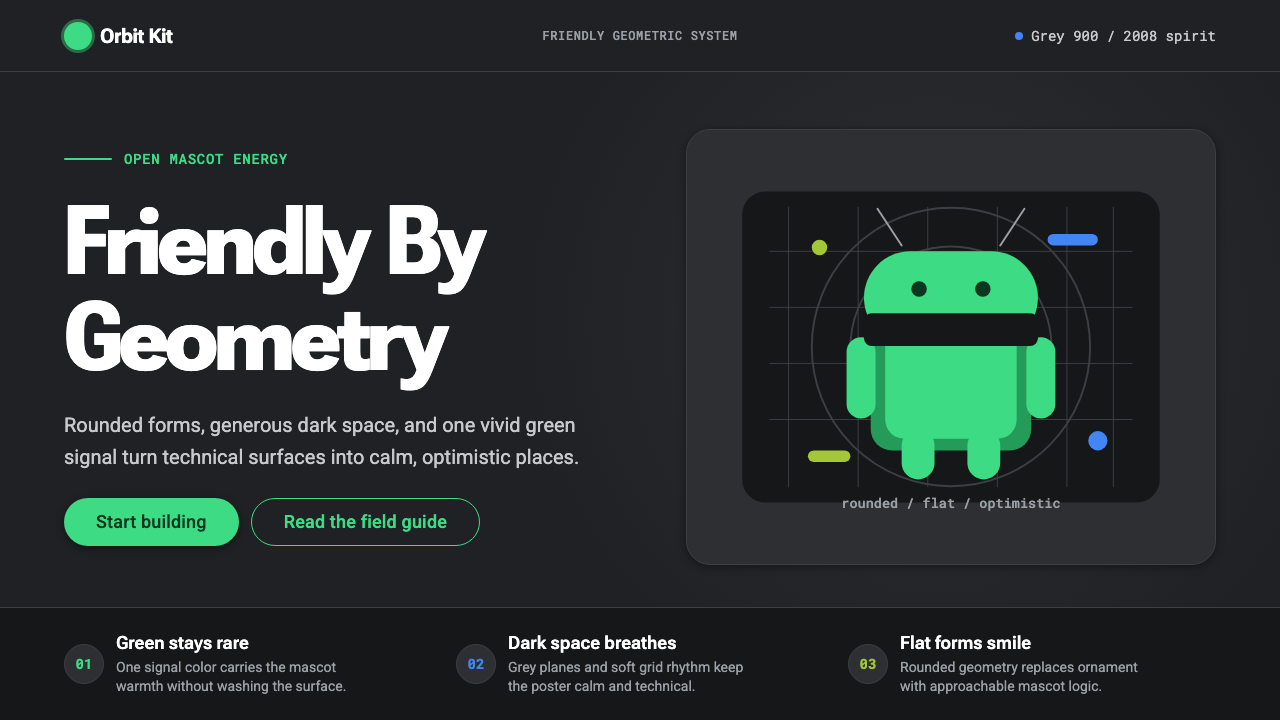 Android Bugdroid GreenFriendly tech, reduced to geometry. Vivid green pops from Grey 900 and rounde…
 Arc'teryx Technical OutdoorEngineered, never ornamental. Glacier silver grid, mono specs, one acid-green…
 AsanaCalm productivity breathes. Cream canvas, lavender panels, coral-blue-yellow…
 Cryosleep Transit WardCare without spectacle. Clinical white, equal bay grids and the fixed colours…