What is Airtable Spreadsheet-Rainbow?
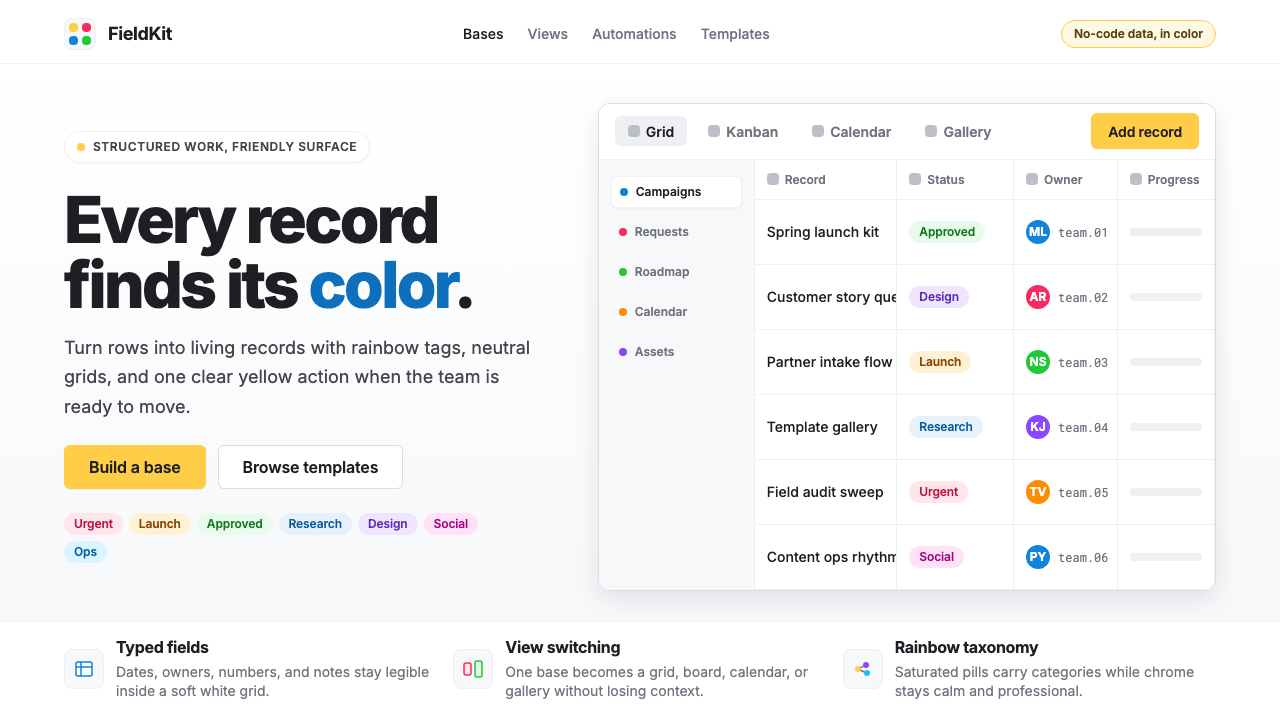
Airtable turned the spreadsheet into a celebration — structured white grids alive with saturated rainbow tag-pills and a signature warm-yellow call-to-action that made database work feel like play.
Airtable Spreadsheet-Rainbow in brief
Airtable Spreadsheet-Rainbow is the visual design language pioneered by Airtable — the no-code database platform founded in San Francisco in 2012 — in which clean white grids of structured rows and columns are punctuated by brightly saturated, rounded tag-pills spanning the full color spectrum. These pills are not decoration; they are the primary mechanism by which users categorize, filter, and make sense of data. The result is a workspace aesthetic that feels organized yet alive, structured yet warm.
At the center of the system sits a signature golden-yellow — the 'Airtable yellow' that appears on primary buttons and brand marks — acting as the visual anchor around which a full rainbow of category colors orbits. Red, orange, green, teal, blue, purple, pink, and several intermediate hues are all available as tag colors, giving any base an immediately legible, color-coded vocabulary. The white ground and the modern humanist typeface used throughout ensure that this abundance of color never collapses into chaos; instead, the chromatic richness reads as informational clarity.
The aesthetic belongs squarely to the 2020s wave of warm, friendly productivity software — a deliberate reaction against the cold grays and corporate blues that had dominated enterprise software for decades. Where older spreadsheet tools communicated efficiency through austerity, Airtable Spreadsheet-Rainbow communicates capability through celebration. Work is still rigorous, but the surface signals that rigor can be joyful.

Where does Airtable Spreadsheet-Rainbow come from?
Airtable was founded in 2012 by Howie Liu, Andrew Ofstad, and Emmett Nicholas with the ambition of collapsing the distance between a spreadsheet and a relational database — making it possible for non-engineers to build structured, relational data systems without writing a line of code. The product launched publicly in 2015 and gained traction quickly among creative teams, project managers, and small organizations that needed more flexibility than a traditional spreadsheet but lacked the resources for custom database development.
The visual identity that would become Airtable Spreadsheet-Rainbow coalesced over the period roughly from 2020 to 2024, as the platform matured and the broader no-code movement gained cultural momentum. During this period, the design team settled on the core pillars of the system: the white grid as an organizing canvas, the golden-yellow as brand signature, and the full-spectrum rainbow of tag colors as the functional heart of the user interface. The rounded pill shape for tags — a form that signals approachability and categorization simultaneously — became an industry-recognized motif, widely imitated by competing tools and design systems.
The colorful tag aesthetic did not appear from nowhere. It drew on earlier traditions in consumer software design — the colored label systems in Apple's Finder, the colored calendars in Google Calendar, and the label chips used in Gmail — but Airtable pushed the concept further by making color the primary data-classification mechanism rather than a secondary organizational nicety. Each cell in a single-select or multi-select field became a stage for a colored pill, and the cumulative effect across a populated base created a visual density that felt rich rather than cluttered.
The choice of a warm, inclusive visual register was also a strategic product decision. Airtable's market positioning from the mid-2010s onward emphasized that powerful database tools should not be the exclusive province of engineers. The warm yellow, the rounded shapes, the celebratory chromatic range — all of these communicated openness and accessibility. The aesthetic told first-time users that they were not looking at arcane software but at something built for them, regardless of technical background. This democratizing ambition embedded in the visual language helped Airtable distinguish itself in a crowded field of project management and data tools.
What defines the Airtable Spreadsheet-Rainbow look?
Rainbow Tag-Pills
The defining element of the system is the rounded pill-shaped tag that carries a saturated, fully opaque background color drawn from across the color spectrum. These tags appear in single-select and multi-select fields, and their chromatic range — spanning warm reds and oranges through midrange greens and teals to cool blues, purples, and pinks — is the primary visual signature of any Airtable-influenced design. The pill shape is deliberately soft and approachable, chosen over rectangular chips or plain text labels to signal categorization rather than command.
White Grid Canvas
The structural backbone of the aesthetic is the clean white or near-white grid that underlies all data presentation. Rows are separated by fine, low-contrast dividing lines; columns are defined by subtle vertical boundaries. This grid is never decorative — it is a data-holding structure, and its restraint is precisely what allows the rainbow tags and yellow accents to carry visual weight without overwhelming the layout. The relationship between the quiet grid and the vivid tags is the central visual tension of the style.
Signature Warm Yellow
A specific warm, deeply saturated yellow functions as the brand anchor for the entire system. This yellow appears on primary call-to-action buttons, product logos, and key interactive states. It is warm enough to feel inviting rather than cautionary — unlike the sharp warning yellows common in alert design — and saturated enough to be unmistakable. When used alongside the cooler tones in the rainbow tag spectrum, the warm yellow creates a chromatic focal point that reliably draws the eye to the most important action on any given screen.
Humanist Sans-Serif Type
The typographic register of Airtable Spreadsheet-Rainbow relies on a modern humanist sans-serif — a category of letterforms that combines the geometric clarity of modernist type with the warmth and legibility of forms derived from calligraphic tradition. This kind of typeface is used consistently across interface labels, cell content, navigation, and marketing materials. Type size and weight vary to establish hierarchy, but the family stays unified; the effect is professional readability without stiffness or clinical coldness.
Layered Color Density
A distinctive quality of the aesthetic is what happens when a fully populated base or dashboard is viewed as a whole: multiple colored tags across many rows create a layered visual texture that reads as informational richness rather than visual noise. This density is possible because each tag is self-contained — a closed, bounded color form — and because the white ground between tags provides consistent breathing room. The system tolerates high color density in a way that unstructured color use never could, because the grid gives every element a precise address.
Softness and Roundness
Every interactive element in the system — tags, buttons, input fields, modal dialogs — carries a notably rounded profile. Corners are never sharp or square; the consistent use of generous border-radius across components creates a visual vocabulary of softness and approachability. This roundness distinguishes the aesthetic from harder-edged productivity tools and reinforces the message that the interface is friendly and forgiving. The rounding is applied consistently enough to feel like a design principle rather than a stylistic flourish.
Minimal Decorative Hierarchy
Outside of the tag colors themselves, the system maintains deliberate visual restraint. Section headers, navigation labels, and column titles are set in regular or medium weight at a modest size increase over body content — hierarchy is communicated through scale and subtle weight, not through color floods, background fills, or decorative rules. This restraint is what makes the rainbow tags legible as data markers: they exist against a background of structured quietness, which amplifies their signal.

Who shaped Airtable Spreadsheet-Rainbow?
Liu co-founded Airtable and served as its CEO, articulating the company's central thesis: that powerful data tools should be accessible to people without engineering backgrounds. His product vision — fusing the familiar vocabulary of the spreadsheet with the structural power of a relational database, and wrapping it in an interface designed for non-technical users — created the conceptual and aesthetic brief from which the Spreadsheet-Rainbow visual system emerged. Liu's emphasis on friendliness and approachability as genuine product values, not merely marketing claims, drove the team's decision to make color central rather than peripheral.
Ofstad co-founded Airtable with a background in design and product, having previously worked on Google Maps. His design sensibility influenced the platform's early visual direction — the commitment to clean white surfaces, the emphasis on the grid as a trustworthy structure, and the choice to invest in a polished, consumer-grade visual identity rather than the utilitarian plainness typical of enterprise database tools of the era. Ofstad's Google Maps experience brought a geographic literacy of layered, color-coded information that resonates with the tag-color system Airtable would develop.
Nicholas co-founded Airtable as its third founder and contributed to the technical architecture that made the flexible field-type system — the very system that would generate the visual rainbow of tags — possible at scale. The multi-select and single-select field types, with their configurable color arrays, are the product features most directly responsible for the Spreadsheet-Rainbow aesthetic. Without the technical flexibility to support an arbitrary number of color-coded categories per field, the visual language would have remained far more constrained.
The refinement of the Spreadsheet-Rainbow visual system into a coherent, exportable design language was the collective work of Airtable's in-house design organization across the period when the no-code movement went mainstream. This team made consequential decisions about tag pill geometry, the color palette composition for the rainbow spectrum, the button treatment that established the warm yellow as the brand's primary interactive color, and the type system choices that kept the interface readable under high chromatic load. Their work produced a design system legible enough to spawn an entire category of imitators.
How do you use Airtable Spreadsheet-Rainbow today?
Airtable Spreadsheet-Rainbow is a style that earns its richness through structural discipline — the color abundance works because the underlying grid is scrupulously neutral. Applying it successfully means investing in the grid first and the color second. Before adding any tag color or warm-yellow accent, establish the white or near-white background, the fine dividing lines, and a clean typographic hierarchy. The structure makes the color legible; without it, the same palette reads as garish rather than celebratory.
For presentation slides, the style has two natural registers. Cover slides benefit from a bold, minimal treatment: a dominant warm-yellow form or a single large colored shape against a white ground, with a clean humanist title in strong contrast. The effect should feel like an invitation rather than an announcement. Content slides lean on the grid metaphor directly — arrange information in structured rows or columns, introduce tag-pill annotations for categories or status indicators, and keep chart and data visualizations in the rainbow palette. The discipline here is resisting the urge to use every available color on a single slide; three or four tag colors per content page produce clarity, while eight or nine produce confusion.
For web UI, the style is especially at home in dashboards, data management interfaces, and pricing pages. A dashboard built in this language should have a white or very light gray surface, with colored status badges and category indicators doing the categorical work that icons or text labels might do in a more conventional system. Navigation should be typographic and restrained — the color budget is spent in the data layer, not the chrome. Pricing tiers differentiate naturally through a single assigned accent color per tier, without requiring background floods or heavy borders.
For editorial and marketing work, the style supports a clear and friendly information hierarchy. Article or report layouts can use colored pull-quote backgrounds or category-tagged headlines in a way that reads as organized rather than chaotic, provided the white ground is maintained between colorful elements. Marketing pages leverage the warm-yellow for primary calls to action and introduce the rainbow spectrum selectively — perhaps one feature-highlight color per section — to create a sense of visual progression without chromatic exhaustion. The brand equity of the style comes from its association with productive, organized work; marketing applications that feel playful and structured simultaneously are the most authentic.
The most common mistake when working in this style is treating the rainbow palette as permission to use all colors simultaneously at full saturation. Airtable's own interfaces succeed precisely because each tag color appears in the context of categorical data, where it carries meaning — this base uses orange for 'In Review,' teal for 'Approved,' and red for 'Needs Revision.' When the same colors appear as decoration rather than data, they lose the informational logic that makes them legible. The second common mistake is softening the white ground — introducing off-white background fills, subtle colored washes, or shadow gradients under panels. These moves undermine the contrast between grid and tag that defines the style. Keep backgrounds genuinely white, and let the tags carry all the chromatic weight.

Airtable Spreadsheet-Rainbow — FAQ
How is Airtable Spreadsheet-Rainbow different from other colorful productivity-tool aesthetics?
The key distinction is that in this style, color functions as structured data — each tag color encodes a category, a status, or a group membership — rather than as decoration or brand differentiation. Tools like Trello use color primarily on card labels and backgrounds for visual organization; Notion uses color sparingly for page accents. Airtable concentrates its entire chromatic energy into the tag-pill field, making color the semantic core of the interface. This gives the style a peculiar legibility: even complex, densely populated views remain parseable because the color vocabulary is bounded and systematic.
Can this style work for products that have nothing to do with data or spreadsheets?
Yes, but with caveats. The style's core elements — white ground, rounded colored pills, warm-yellow accent, clean humanist type — are abstracted enough to function as a general-purpose visual language. A marketing landing page, a portfolio site, or an editorial layout can borrow the aesthetic without any grid or tag-field present. The risk is that the association with productivity software is strong enough that applying the full palette to, say, a food brand or a wellness product may feel incongruous. The style signals 'organized work' and 'friendly data.' If a product's values do not include those associations, the aesthetic can feel borrowed rather than native.
How should tag colors be selected and managed in a real design project?
The guiding principle is that each color must earn its place by encoding a distinct, stable category — not by filling visual space. Begin by listing all the categories a given field will need, then assign colors so that perceptually distinct hues go to semantically distinct categories. Warm and cool colors should not be assigned arbitrarily; a warm red for a 'Blocked' status and a cool green for an 'Approved' status uses natural color associations to reinforce meaning. Keep the total number of tag colors per view manageable — the system tolerates richness, but somewhere beyond eight or nine simultaneous hues in a single grid, the categorical logic begins to break down for most viewers.
Is the style suited to dark-mode interfaces?
The canonical Airtable Spreadsheet-Rainbow is a light-mode system — its visual logic depends on a bright white or near-white ground that sets the stage for the chromatic tag pills. A dark inversion is technically possible, but it significantly changes the aesthetic character. On a dark ground, the same saturated tag colors either glow aggressively or require desaturation to feel comfortable, and the warm yellow accent can appear harsh. Dark-mode applications of this style work best when the background is a very deep neutral — close to black but slightly warm — and tag colors are shifted to slightly muted, medium-brightness versions of their light-mode counterparts. The celebratory, open feeling of the original does not transfer fully to dark mode.
How does Airtable Spreadsheet-Rainbow relate to the broader no-code design movement?
Airtable's visual language is both a product and a driver of the no-code aesthetic that emerged prominently in the early 2020s. Alongside tools like Notion, Webflow, and Coda, Airtable helped establish a new visual grammar for software that positions itself as powerful but accessible — characterized by white grounds, rounded components, colorful categorical markers, and warm accent palettes that deliberately avoid the blue-and-gray corporate register of traditional enterprise software. The Spreadsheet-Rainbow style is the most color-intensive expression of this grammar. Its influence is visible in the tag and badge components of design systems across the industry, and in the general drift toward more saturated, category-coded color use in productivity and data interfaces throughout the decade.
Related design styles
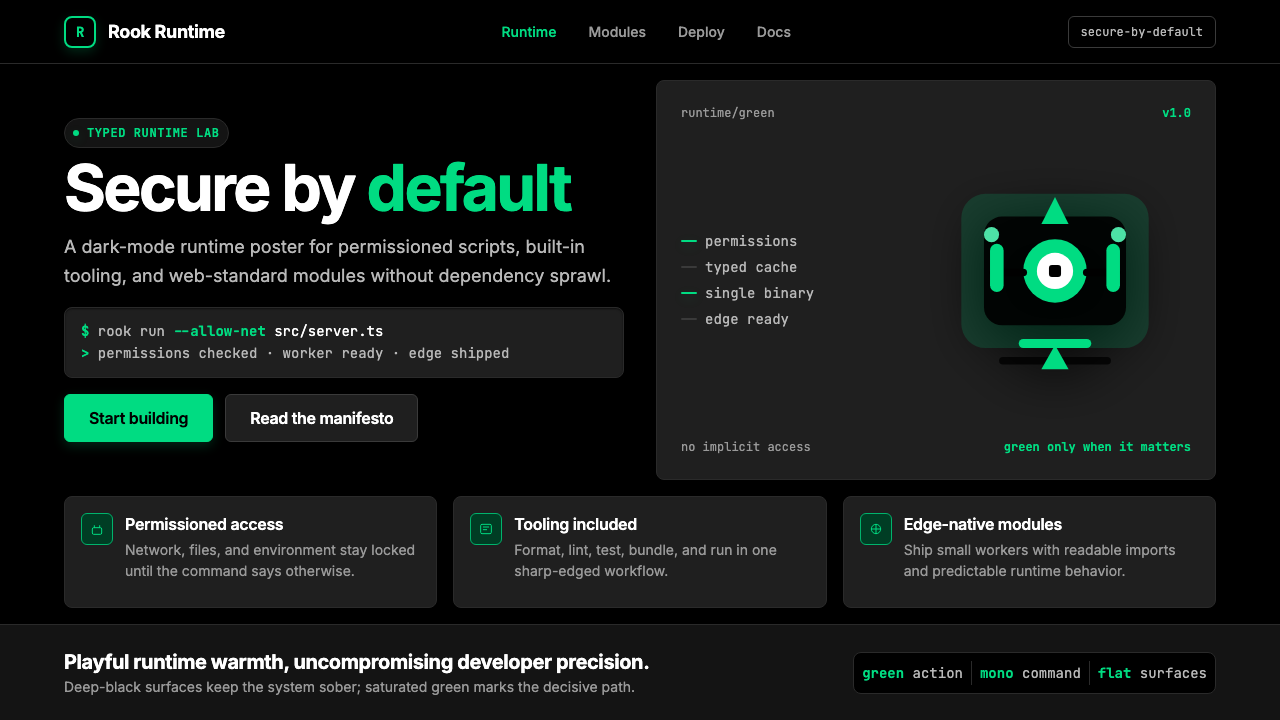 Deno Runtime-GreenWarm precision on black. Saturated green, Inter, and mono code turn security…
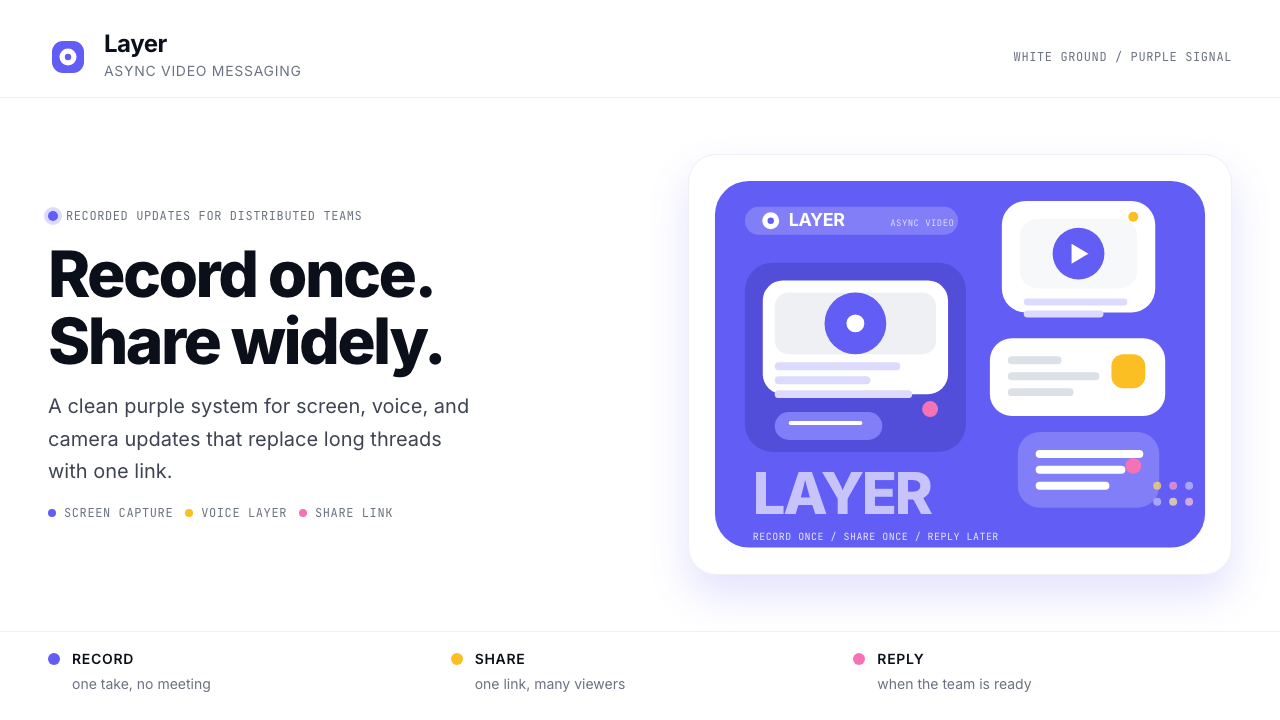 Loom Async-Video PurpleAsync, not meetings. Pure white ground, electric purple, record-button geomet…
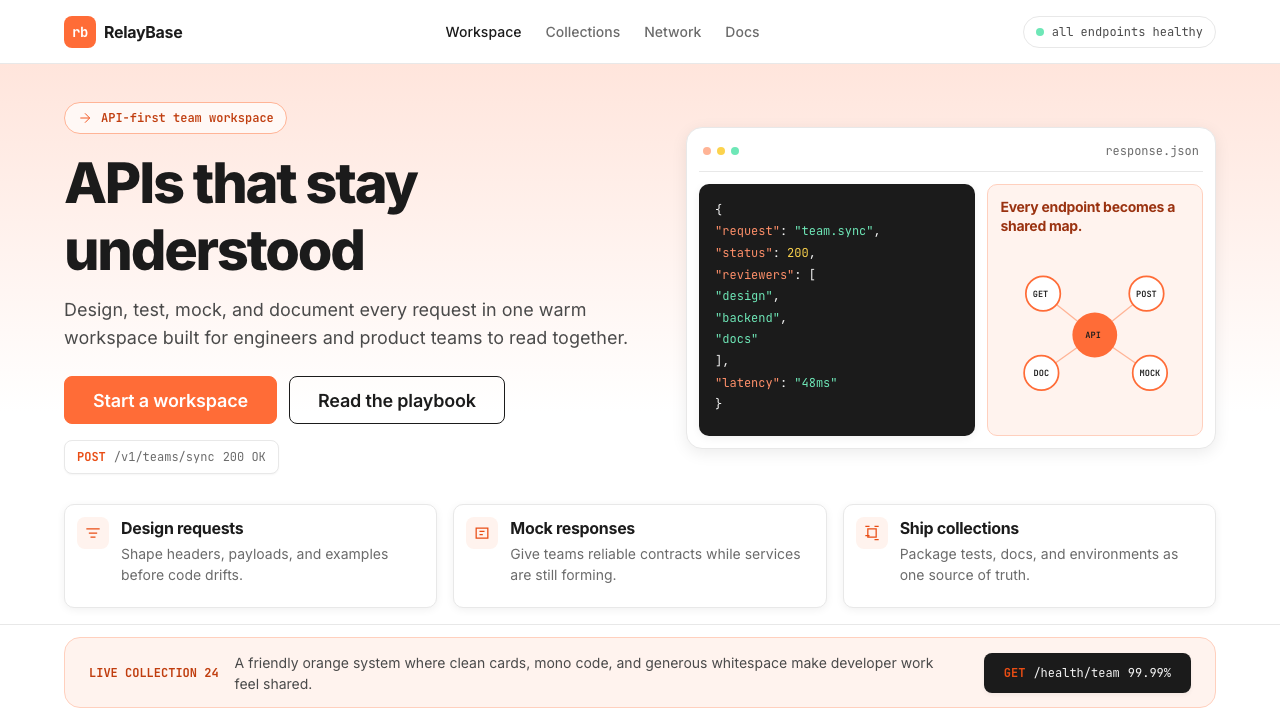 Postman 2024Warm APIs feel approachable. Orange gradients, Inter headlines, and dark mono…
 Replit Browser IDE BlueFriendly code gravity. Cyan run lights and mono panels warm the deep navy IDE…
 Salesforce TrailheadFriendly enterprise glows. Cloud-white, cobalt, and rainbow badges keep it wa…
 Slack 2019Warm enterprise chat. Aubergine rail, Manrope type, and single-accent badges…