What is Yahoo! 1995?
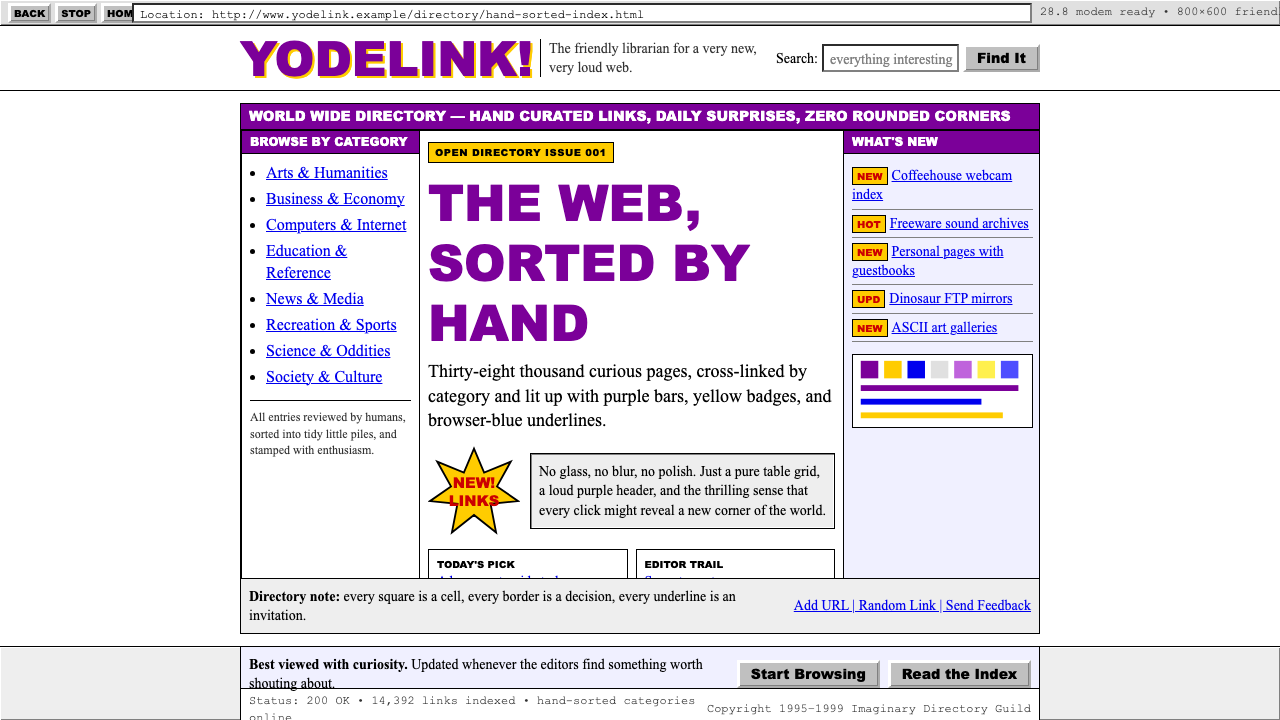
Before search algorithms ruled the web, Yahoo!'s hand-curated purple-bar directory taught a generation what the internet looked like.
Yahoo! 1995 in brief
Yahoo! 1995 is the visual language of the early consumer internet — a style born not from a design school or a creative director's brief, but from the practical constraints of HTML tables, web-safe color palettes, and the need to organize an exploding universe of hyperlinks into something a first-time internet user could navigate. Its signature elements are immediately recognizable: deep purple table-header bars, Times New Roman body text, electric blue underlined hyperlinks, yellow exclamation-point badges, and hard one-pixel black borders enclosing everything.
The aesthetic operates at the intersection of optimism and limitation. Every design choice reflects the realities of 1990s web production — browsers that could not reliably render anything beyond a handful of colors, connections slow enough that every kilobyte mattered, and screens whose resolution made anything below a certain size illegible. Within those constraints, Yahoo!'s designers created a system that was legible, structured, and, in its own exuberant way, beautiful. Zero border-radius, no gradients, no shadows, ALL-CAPS section headers, beveled buttons that appear to press inward — these are not aesthetic failures but honest responses to the medium.
As a design style in contemporary use, Yahoo! 1995 functions as deliberate retro-futurism: the calculated deployment of early-web visual grammar to signal authenticity, nostalgia, playfulness, or a knowing wink at internet history. It rewards specificity — the closer the implementation stays to the actual visual conventions of the 1994–2002 era (the purple-bar period), the more resonant the result. Approximations that merely gesture at the era without committing to its constraints tend to read as generic retro rather than as a precise cultural reference.

Where does Yahoo! 1995 come from?
Yahoo! began in January 1994 as a personal bookmark list maintained by Jerry Yang and David Filo, two electrical engineering PhD candidates at Stanford University. The list, originally titled 'Jerry and David's Guide to the World Wide Web,' grew rapidly as they added and hand-categorized links. By late 1994 the project had outgrown Yang and Filo's Stanford workstations; they incorporated Yahoo! Inc. in March 1995, relocated to Sunnyvale, California, and launched the commercial site. The name — a recursive acronym for 'Yet Another Hierarchically Organized Oracle,' though both founders claimed they simply liked the word — carried the irreverent, exclamation-point energy that would define the brand's aesthetic.
The visual identity that emerged during 1994 and 1995 was shaped in large part by David Shen, Yahoo!'s first art director, who worked within the severe technical constraints of the era's browsers and built the iconic purple-and-white directory interface. The purple table-header bars — a color then unusual enough to be distinctive in an internet landscape dominated by gray system defaults — became the brand's most immediately recognizable element. Combined with the hand-drawn logo (the word 'Yahoo!' rendered in irregular, bouncy letterforms), the palette announced that this was not a corporate information service but something looser, more personal, and more fun.
The broader context was the dotcom-boom maximalism of Web 1.0 portals. Yahoo!'s contemporaries — Excite, Lycos, AltaVista, Netscape's directory — all competed for homepage real estate and attention. The portal model demanded that a single page serve as the user's gateway to the entire internet: news, weather, sports, email, search, and directory listings jostled for space. The resulting aesthetic was dense, link-heavy, and banner-saturated — a visual cacophony that was also, for its audience, thrilling. Yahoo! was among the most restrained of the major portals, but it was restrained only relative to the noise around it; by contemporary standards its pages were maximalist.
The purple-bar era effectively ended as broadband penetration increased, Flash and CSS gave designers new tools, and Yahoo! underwent a series of redesigns through the early 2000s. The 2001 and 2002 redesigns softened the palette, introduced rounded corners, and gradually retired the hard table-grid layout in favor of more fluid structures. By 2004 the original visual language had been substantially replaced. What remained was the brand's relationship with purple — a color that persisted in later Yahoo! identities even as the specific table-bar aesthetic was abandoned. The 1994–2002 window is what designers now mean when they invoke 'Yahoo! 1995' as a style reference.
What defines the Yahoo! 1995 look?
The Purple Table Bar
The defining element of the entire aesthetic: a deep, fully saturated purple fills table-header cells, creating a strong horizontal band above content rows. The color was unusual for its era — most interfaces defaulted to system grays — which made it a genuine brand differentiator. In contemporary applications, this bar is the single most reliable signal that a design is invoking the Yahoo! 1995 vocabulary. It functions as a section header, a navigation band, and a structural anchor simultaneously.
Serif Body Text
Where most contemporary interfaces reach for sans-serif type, Yahoo! 1995 used a serif face for body copy — a direct inheritance from print typography conventions that had not yet been challenged by screen-native design thinking. The result is a readable, slightly formal tone that contrasts with the purple bars' boldness. The serifs read as earnest rather than elegant; they are the typographic equivalent of a reference librarian: authoritative and helpful.
Electric Blue Hyperlinks
The browser default for unvisited hyperlinks in the mid-1990s was a vivid, almost aggressive blue with a solid underline. Yahoo! preserved this convention rather than styling links away from it, so its pages were dense with blue underlined text at every scale. This was also a usability decision: users in 1995 were still learning what a hyperlink was, and the universal blue-underline convention was the clearest possible affordance. In contemporary applications, leaning into this convention rather than neutralizing it is what separates Yahoo! 1995 from merely retro typography.
Hard Borders and Table Grid
Layout in the mid-1990s was built almost entirely from HTML tables, and Yahoo! embraced this structure openly rather than hiding it. Thin, hard black borders enclose table cells, creating a visible grid that divides the page into discrete zones. There is nothing soft or implied about this structure; the borders are explicit decisions that make the underlying architecture of the page legible. In contemporary design terms, this reads as confident rawness — the structural grid made visible.
Beveled Buttons
Interactive elements in the 1990s used the operating system's native beveling — a highlight on the top-left edge and a shadow on the bottom-right — to simulate depth and indicate pressability. Yahoo!'s buttons shared this convention: they looked three-dimensional against the flat page, as if physically mounted. This is the opposite of contemporary flat or ghost button conventions. The bevel is also the era's substitute for hover and animation feedback — it communicates interactivity through apparent physicality rather than motion.
Yellow NEW Badges
A small but essential component of the vocabulary: bright yellow labels reading 'NEW' (in uppercase, always) appeared next to freshly added directory categories and links. The yellow was chosen for maximum contrast against the purple bars and white page ground — it functions as an alert signal in a system without the animation or push notifications that contemporary interfaces rely on. These badges are the era's version of a notification dot, and their exuberant color made them feel celebratory rather than urgent.
Dense Link Directories
The core content unit of Yahoo!'s interface was not the article, card, or feed item — it was the categorized hyperlink list. Category names appeared in bold serif, subcategories indented beneath, and individual links packed tightly in a format closer to a reference book index than a contemporary content feed. This density was a feature, not a bug: users came to Yahoo! to find things, and the interface respected their intention by providing maximum findable content per page.

Who shaped Yahoo! 1995?
Co-founder of Yahoo! and the 'Jerry' of the original 'Jerry and David's Guide to the World Wide Web.' Yang's instinct to organize the web as a hand-curated human directory — rather than as an algorithmic index — gave Yahoo! its early identity and its distinctive visual language of categorized, nested, link-heavy pages. He served as CEO from 2007 to 2009 and remained on Yahoo!'s board for years, witnessing the company he built from a Stanford bookmark list become one of the most visited sites in internet history.
Co-founder and the technical architect behind Yahoo!'s early infrastructure. While Yang was often the public face of the company, Filo was the engineer who kept the servers running as traffic exploded from thousands to millions of daily visitors in under two years. His practical, get-it-working approach to early web production is embedded in Yahoo!'s visual aesthetic: the style is what you get when an engineer with good taste solves a real organization problem under genuine constraints, not what you get from a polished design process.
Yahoo!'s first art director, responsible for establishing the purple-bar visual identity that defined the brand from 1995 through the early 2000s. Working within the severe constraints of 1990s web production — limited color palettes, table-based layout, no CSS styling, and a user base that had never used a graphical internet interface before — Shen created a visual system that was legible, distinctive, and extensible enough to survive years of content growth. His choices, made under constraint, became the canonical look of the early consumer internet.
The inventor of the World Wide Web and the author of the original HTML specification that made Yahoo!'s directory possible. Berners-Lee's decision to design HTML as a document-description language — with hyperlinks as its central innovation — is what created the problem Yahoo! solved: a web of documents that was impossible to navigate without a map. The visual language of Yahoo! 1995 is, in a sense, a direct consequence of Berners-Lee's architectural choices: table-based layout, blue underlined links, and plain serif body text are all affordances or defaults of his original specification.
Creator of Mosaic, the first widely used graphical web browser, and co-founder of Netscape. Andreessen's work made Yahoo!'s visual language visible in the first place: before graphical browsers, the web was text-only. Mosaic introduced the conventions — inline images, clickable hyperlinks in distinguishing color, scrollable pages — that Yahoo! would build its interface upon. Netscape Navigator, which Andreessen went on to develop at his own company, was the browser most Yahoo! users were using when they encountered the purple-bar interface for the first time.
How do you use Yahoo! 1995 today?
Yahoo! 1995 is one of the most contextually specific design styles available to contemporary practitioners — its power depends entirely on deploying its visual vocabulary with precision rather than approximation. Before applying the style, establish clearly what the design is communicating: nostalgia, internet-culture humor, early-web authenticity, a brand personality that is playful rather than corporate. The style carries strong associations, and they will land whether or not you intend them. Used deliberately, this is an asset; used carelessly, it reads as confused or ironic without payoff.
For presentation slides, the style works most effectively on cover pages where a single strong statement can be made. A purple horizontal bar spanning the full width of the slide, below which the presentation title sits in bold serif type against a white or cream ground, immediately signals the reference and sets tone. Content slides should lean into the directory aesthetic: a purple section-header bar at the top, content organized in visible-bordered table cells or tight link-list format, and section numbers or category labels in the bar text itself. Data slides can be treated as table reports — bordered cells, category headers in purple, numeric values in serif type — rather than as modern chart-heavy layouts. The combination of structure and visual density suits analytical or archival content particularly well.
For web and digital interfaces, the style is best suited to projects that can commit fully to its conventions rather than blend them with contemporary design patterns. Dashboards that celebrate data density benefit from the table-grid structure; pricing pages can use purple bars as tier headers, with link-list formatting for feature comparisons. The key is to avoid mixing Yahoo! 1995 conventions with flat-design or material-design patterns — the border-heavy, beveled aesthetic of the former reads as incoherent next to the shadow-light, depth-free aesthetic of the latter. Navigation should favor text labels and visible borders over icon-based, borderless patterns.
For editorial, marketing, and social content, Yahoo! 1995 functions best when the content itself has a relationship to internet culture, technology history, nostalgia, or digital nostalgia themes. A retro-web newsletter, a product launch for a tech tool aimed at developers, a campaign celebrating a company's early days — these are natural contexts. Marketing pages can alternate full-width purple-bar headers with dense body content sections, using the yellow NEW badge equivalent to call out recent additions or announcements. The style's inherent information density makes it work well for content-rich editorial pages where the reader is expected to scan and choose, rather than follow a single linear narrative.
The most common mistake when applying Yahoo! 1995 is treating the purple as the only defining element and leaving everything else in a contemporary baseline — soft shadows, rounded corners, system sans-serif type, ghost buttons. This produces a hybrid that neither honors the reference nor succeeds as contemporary design. Committing to the full system — hard borders, serif body text, blue underlined links, beveled buttons, visible table structure — is what makes the style legible as a deliberate aesthetic choice rather than an incomplete redesign. A second common mistake is applying the purple arbitrarily rather than using it structurally, as a table-header and section-marker color. When purple appears as a random accent rather than a structural element, the specific Yahoo! 1995 reference is lost.

Yahoo! 1995 — FAQ
Is Yahoo! 1995 appropriate for professional or enterprise contexts?
It can be, but the context must be carefully chosen. The style carries strong associations with nostalgia and internet-culture humor, so it works naturally in tech-adjacent contexts where that cultural fluency is an asset — developer tools, indie software products, retro-themed campaigns, anniversary communications. In formal enterprise contexts (financial services, healthcare, legal) the associations tend to work against credibility. The test is whether the target audience shares the cultural reference and will read it as intentional rather than dated. When the audience does share it, Yahoo! 1995 can project a distinctive kind of confidence: the brand is self-aware and playful.
How does Yahoo! 1995 differ from other early-web retro styles like GeoCities or Netscape?
These are distinct aesthetics despite their shared era. GeoCities represents user-generated maximalism: animated GIFs, tiled background images, clashing colors, visitor counters, and the complete absence of a design system. It is exuberant chaos. Yahoo! 1995, by contrast, is a professional portal aesthetic — structured, consistent, and purposeful in its density. Netscape's interface aesthetic is closer to Yahoo!'s in its professionalism but uses a more conservative gray-and-blue system palette. The Yahoo! purple-bar identity is the one with the most specific color signature, which is why it reads as a distinct reference rather than a generic early-web style.
Can the style work in a dark or inverted color scheme?
With significant care. The canonical Yahoo! 1995 palette is light-ground: white or pale gray body areas with purple header bars. A dark inversion — black body, lighter purple or white bars — is possible but risks losing the structural contrast that the purple bar depends on: against a dark background, the purple reads as atmospheric rather than organizational. If a dark variant is required, the most coherent approach is to keep the purple bars at full saturation against the dark ground, use a pale or cream text color for body content, and preserve the hard-border table structure. The electric blue link color will need to be adjusted for visibility — a lighter, more cyan-leaning blue — but the underline should be retained.
Does the style work without table-based HTML layouts, in modern CSS grid or flexbox?
Yes, and this is the standard approach for contemporary applications of the style. The table-grid visual aesthetic — visible borders, distinct header areas, cell-like content zones — can be reproduced faithfully using CSS grid or flexbox with explicit border styling. The key is to use visible, hard-edged borders rather than implied separation (padding, whitespace, shadow). What CSS grid cannot reproduce automatically is the slight irregularity and density of actual HTML table layouts from the 1990s; achieving that level of authenticity requires deliberate choices about column ratios, content density, and the placement of inline elements. Most contemporary applications of the style will not need that level of fidelity and are better served by a clean CSS grid that captures the visual logic without slavishly reproducing the production accidents.
What kinds of projects are poor fits for Yahoo! 1995?
The style struggles wherever warmth, sensory richness, or visual aspiration are required values. Luxury goods, wellness and health products, fashion and lifestyle brands, children's educational products, and any context where the user experience depends on visual comfort and organic texture will all be poorly served by Yahoo! 1995's hard edges, table borders, and dense link lists. The style is also a poor fit for products that need to project cutting-edge modernity or premium quality — its deliberate lo-fi quality reads as charming and nostalgic in the right context but as dated and low-effort in the wrong one. Finally, any single-page or long-scroll marketing experience that depends on storytelling through visual rhythm, full-bleed photography, and smooth transitions is structurally incompatible with the table-grid, above-the-fold density that defines the style.
Related design styles
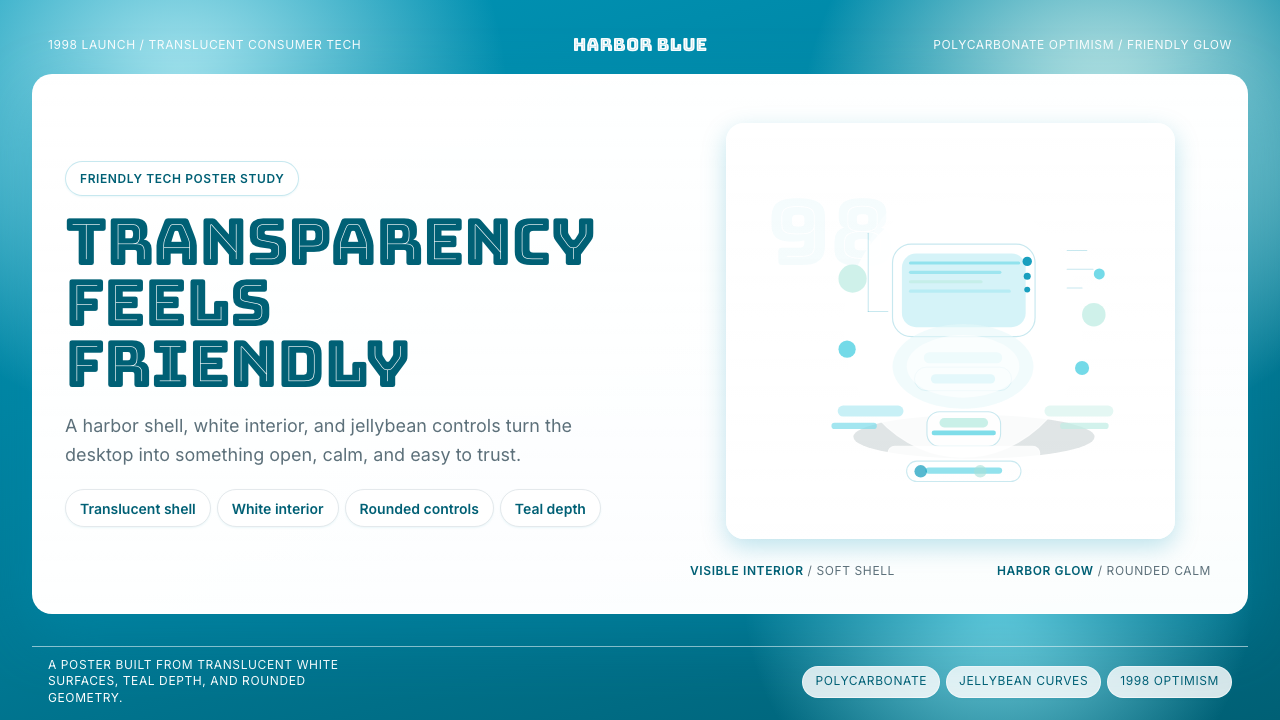 iMac G3 Bondi Blue (1998)Transparency feels friendly. Bondi blue, white glass, and pill curves set the…
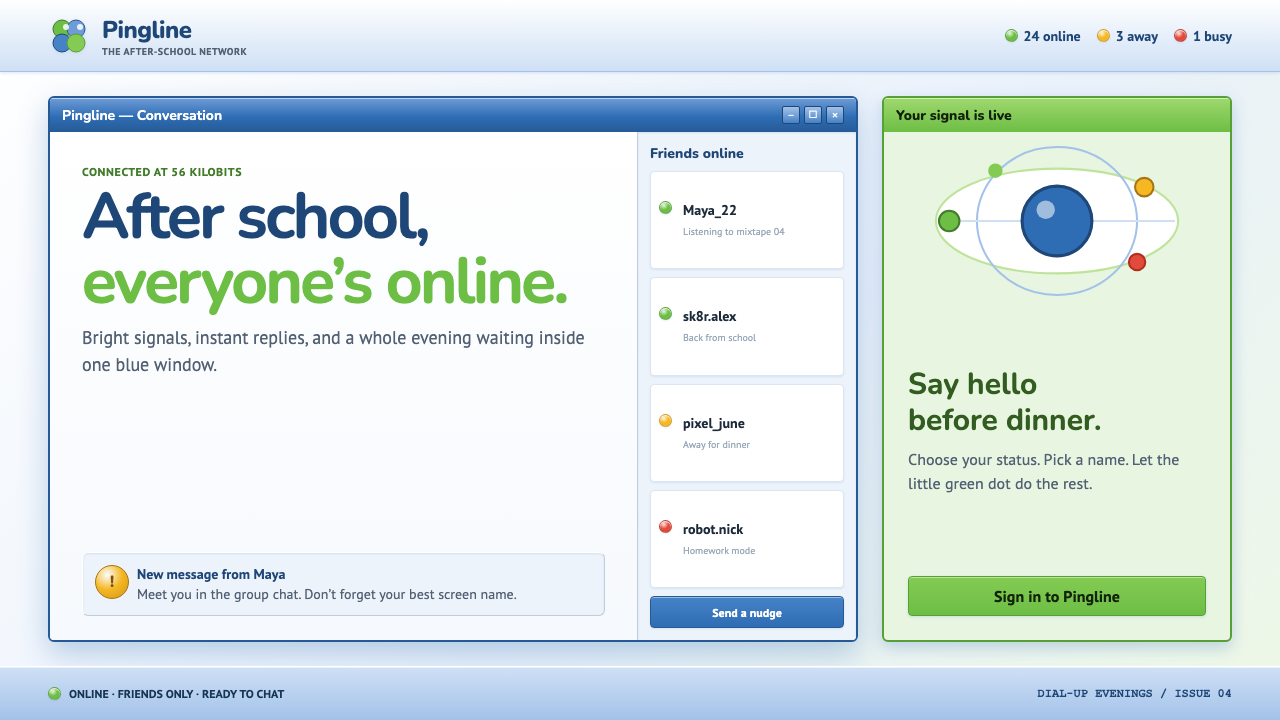 MSN Messenger (2001)Dial-up optimism, online. Luna-blue chrome and bright status dots keep every…
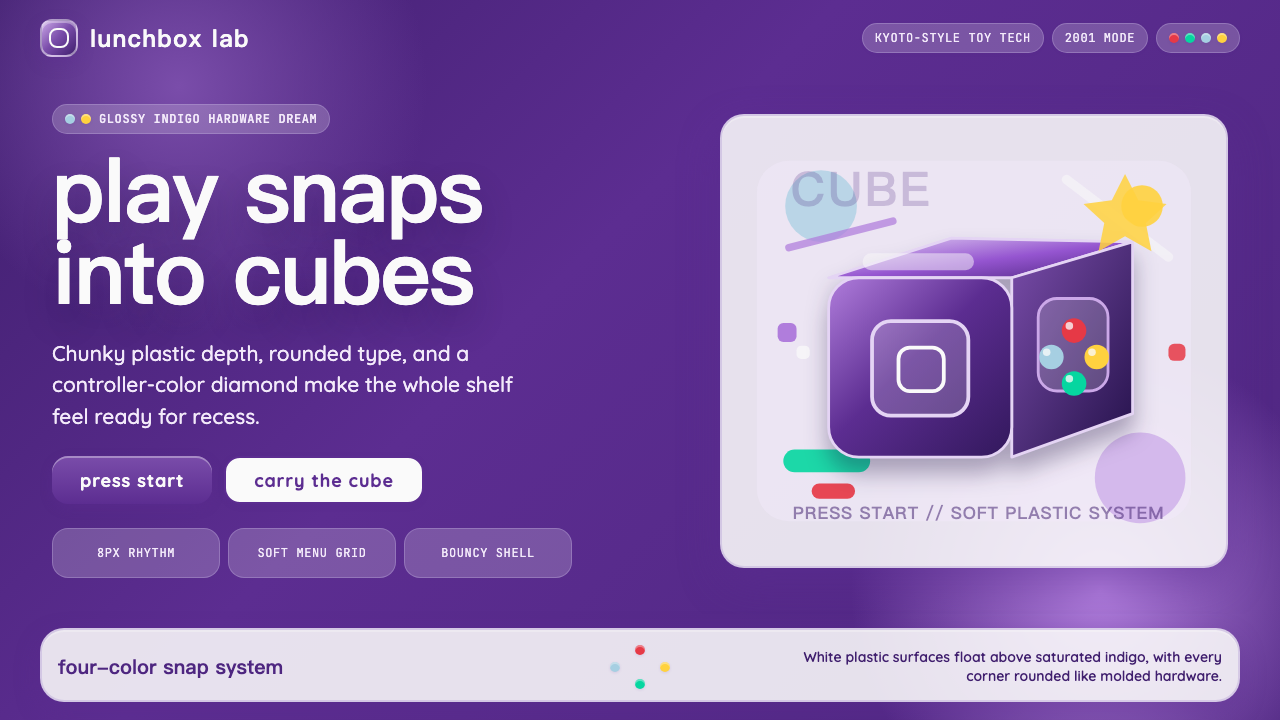 Nintendo GameCube (2001)Toy-tech refuses restraint. Indigo plastic, glossy cubes, and four-color butt…
 Dance Dance Revolution ArrowsPure arcade voltage. Magenta, cyan, and acid-green arrows climb a black CRT g…
 Facebook 2004Dorm-web austerity. Original blue, 980px grid, 1px borders, tiny Lucida Grand…
 Game Boy DMG Green ScreenOnly the grid remains. Olive LCD tones, pixel type, and hard black borders.