What is Bloomberg Terminal (CRT Green)?
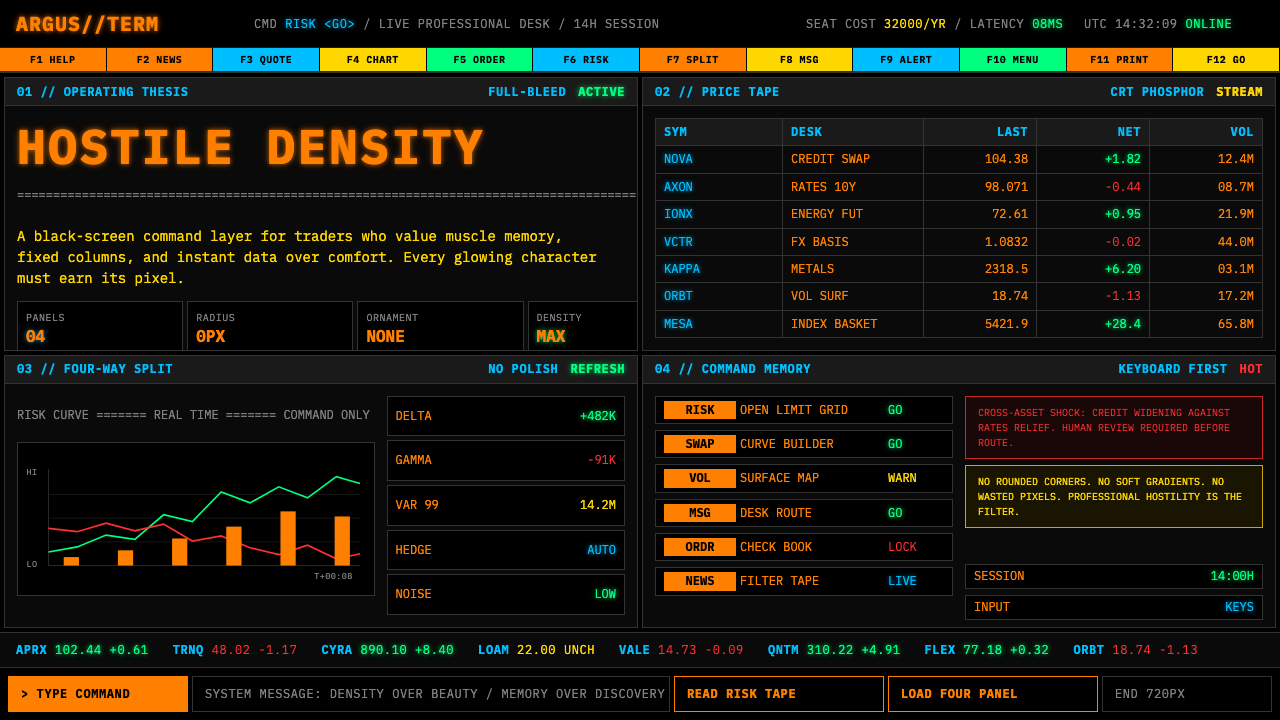
For over four decades, Wall Street's most powerful interface has deliberately looked like a relic — and that hostility is entirely by design.
Bloomberg Terminal (CRT Green) in brief
Bloomberg Terminal style is a visual language born from the demands of professional financial trading: maximum information density, zero decorative distraction, and a color vocabulary drawn from the phosphor glow of cathode-ray tube monitors. The aesthetic is defined by its dark ground — deep black or near-black — against which a saturated green or amber primary text color vibrates with high contrast. Secondary information tiers are rendered in dimmer variations of the same hue, or in cool whites and muted grays, creating a strict luminance hierarchy without any use of conventional typographic ornamentation.
The layout system is relentlessly functional. The screen is divided into rigid panels — typically four quadrants — each packed with dense monospaced text, live numerical feeds, and labeled data fields. Nothing is centered for aesthetic effect; everything is left-aligned and tabular. Headers are distinguished from body data not by decorative styling but purely by intensity of color and positional convention. The total effect is less like a designed interface and more like a purpose-built instrument — closer in spirit to an aircraft cockpit than to a consumer app.
What makes Bloomberg Terminal style culturally significant is not just its look but what that look communicates. The deliberate rejection of modern consumer interface conventions — rounded corners, gentle gradients, soft iconography, friendly whitespace — signals expertise and exclusivity. The style says, implicitly, that the person using this tool does not need hand-holding. Beauty is irrelevant. Precision, speed, and information completeness are everything.

Where does Bloomberg Terminal (CRT Green) come from?
The Bloomberg Terminal traces its origin to 1981, when Michael Bloomberg was dismissed from the investment bank Salomon Brothers following a management restructuring. Bloomberg had spent his career in the firm's information systems division and left with a severance that he used to found Innovative Market Systems — later renamed Bloomberg L.P. — with partners Tom Secunda, Duncan MacMillan, and Charles Zegar. Their first product, shipped to Merrill Lynch in 1982 under the name Market Master, was not primarily a piece of software design; it was a data distribution system. The visual interface was a byproduct of technical constraints: monospaced text because proportional rendering was computationally expensive, green on black because that was the output of the phosphor-coated CRT screens that dominated professional computing at the time.
Through the 1980s, the terminal's user base grew within institutional trading desks, fixed-income analysis, and central bank operations. The interface accumulated functions organically — analytics, news, messaging, pricing models — through a system of short function codes typed at a keyboard rather than navigated through menus or graphical affordances. The keyboard itself became a design artifact: Bloomberg's custom keyboards featured dedicated colored keys for different function categories, color-coded to the terminal's own palette. The entire interaction model was built on the assumption that users would invest months learning the system, after which speed of access would far exceed any graphical navigation alternative.
The 1990s and early 2000s brought a critical design decision. As Windows-based interfaces and then the web established the visual conventions that would become consumer UI norms, Bloomberg made a deliberate choice not to follow. The reasoning was practical and philosophical simultaneously. Practically, migrating a complex proprietary function-code system to a graphical paradigm risked alienating an installed base of expert users who had internalized thousands of commands. Philosophically, the aesthetic distance from consumer software was itself a signal: this was not a product for casual users. The CRT-green palette was retained and even reinforced as other industries moved to softer, more approachable visual languages.
By the 2010s, the Bloomberg Terminal had become something rarer than a useful tool: it had become an icon. The interface appeared in films and television as a visual shorthand for financial expertise. Design communities began studying it not as an example of good UX practice but as a case study in how a sufficiently entrenched professional tool can define its own aesthetic norms entirely independent of mainstream design trends. Designers working in fintech, data infrastructure, and developer tooling began deliberately invoking the Bloomberg aesthetic — dark grounds, monospaced typography, high-density tabular layouts — as a signal of seriousness and technical depth, even in products that had no connection to financial markets.
What defines the Bloomberg Terminal (CRT Green) look?
Dark Ground with Phosphor Primaries
The defining visual foundation is a near-absolute dark background — not a softened charcoal or a dark navy, but a black that reads as terminal void. Against this ground, the primary foreground color is a phosphor-saturated green or amber, evoking the literal emission of light from a cathode-ray tube rather than reflected ink on paper. This inversion of the conventional light-on-dark reading model was a technical necessity in the original CRT era and has been preserved as a deliberate identity marker ever since. The darkness is not decorative darkness — it is operational darkness, tuned for prolonged screen use in low-light trading environments.
Monospaced Typography as Information Grid
Every character of text occupies exactly the same horizontal width, allowing numerical data to align perfectly in columns regardless of the digits displayed. This is not a typographic choice made for visual style — it is a structural requirement for reading financial tables at speed. In the Bloomberg aesthetic, monospaced type carries a secondary meaning: it signals machine origin, data precision, and the absence of human editorial softening. Text that is monospaced looks like it came from a system, not from a designer. Type size is used only functionally: headers are larger or brighter than data fields, and data fields are larger than labels or metadata — never for decorative hierarchy.
Multi-Panel Grid Splitting
The screen is treated not as a canvas but as a tiled workspace, divided into a fixed number of information panels — the canonical form is four quadrants, though configurations with more panels are common in high-density professional setups. Each panel operates independently, displaying a different data stream, chart, or function. Dividing lines between panels are sharp and visible but carry no weight beyond functional separation: a single pixel-width line in a dim color, not a border with decorative treatment. This panel architecture is one of the most frequently borrowed elements of the Bloomberg aesthetic in contemporary data interfaces.
Color as Semantic Encoding
Color in Bloomberg Terminal style is never decorative — every color assignment carries a fixed meaning that expert users read instantly. Green indicates a positive change or live data feed. Red signals a decline or alert condition. White or bright text marks current focus or most critical data. Dimmer text in the same hue recedes to context or secondary reference. This semantic color system means that a user's eye can extract directional information — up, down, alert, normal — from the screen's color field without reading individual characters. The palette is deliberately small: to expand it with additional colors is to dilute the semantic system.
Zero Roundness and Zero Softness
Every corner is a right angle. Every border is a hard line. Every transition between states — hover, focus, active — is instantaneous rather than animated. There are no soft shadows suggesting depth, no hover glows warming the interface, no gentle fade-ins easing the user into a new screen. This absolute hardness is not carelessness — it is a design statement about what the interface values: speed and clarity over comfort and welcome. Rounded corners and smooth transitions are human-friendly affordances; their absence communicates that the interface is built for a professional who does not need to be welcomed.
Function-Code Navigation Culture
The Bloomberg Terminal is navigated primarily through typed commands — short alphanumeric codes that call up specific functions — rather than through menus, search bars, or visual wayfinding. This keyboard-primary interaction model has a visual consequence: the interface does not need to expose navigational affordances to the eye. There are no hamburger menus, no breadcrumb trails, no sidebar trees. What is visible on screen is content, not navigation. The visual field is therefore maximally dense with information. Interfaces that adopt the Bloomberg aesthetic often invoke this principle by reducing navigation chrome to near-zero and filling the viewport with data.
Density as Trust Signal
Consumer interfaces are typically designed to present manageable amounts of information at a time, using whitespace, progressive disclosure, and onboarding flows to prevent overwhelming the user. Bloomberg Terminal style inverts this logic entirely. Maximum information at all times is the default state; the density is not a bug to be solved but a feature to be read. For professional users, a screen that shows little information is a screen that is hiding something, whereas a screen that shows everything simultaneously communicates that nothing is being filtered or withheld. Density, in this context, becomes a form of transparency and trust.

Who shaped Bloomberg Terminal (CRT Green)?
Bloomberg founded the company in 1981 after leaving Salomon Brothers with a severance payment and the conviction that financial professionals were chronically underserved by the data tools available to them. His decision to price the terminal at a premium — and to keep it priced at a premium through subsequent decades — was itself a design decision: it defined the user base, shaped the interface's tone, and prevented the product from competing on consumer terms. Bloomberg later served as Mayor of New York City from 2002 to 2013, but his lasting design legacy is an interface philosophy that equated hostility to casual users with professional credibility.
Secunda was a co-founder of Bloomberg L.P. and the primary architect of the terminal's underlying data and analytics systems. His background was in computer science and financial mathematics, and his priorities shaped the interface more profoundly than any visual designer's decisions. The terminal's function-code navigation system, its analytical depth, and its real-time data architecture were all products of Secunda's engineering vision. The visual aesthetic — dense, fast, unornamented — followed directly from the data model he built.
MacMillan, another co-founder, was instrumental in building out the business and client operations of Bloomberg in its early years. His work in establishing relationships with major financial institutions — beginning with Merrill Lynch as the first client — determined the professional context in which the terminal's aesthetic would be evaluated and normalized. Because the terminal's first users were professional traders and analysts at major institutions, the interface never had to justify its density or its learning curve to a general audience, which in turn freed the design to optimize entirely for expert use.
Zegar, the fourth co-founder, focused on the technical infrastructure and database architecture that made real-time financial data distribution possible at scale. The visual characteristics of Bloomberg Terminal style — the relentless updating of numerical fields, the simultaneous display of multiple live data streams, the absence of static imagery — are direct consequences of the data infrastructure Zegar helped build. A style that looks like it is always live and always moving is an accurate reflection of the system underneath it.
By the 2010s, a generation of interface designers working in fintech, developer tooling, and data infrastructure began consciously adopting Bloomberg aesthetic codes — dark grounds, monospaced fonts, phosphor-tinted primaries, high-density layouts — as a visual argument that their products were serious professional instruments rather than consumer applications. This collective reappropriation transformed the Bloomberg look from a legacy interface convention into an active design choice with specific cultural connotations. Products from trading platforms to CLI tools to server monitoring dashboards now use the aesthetic deliberately, citing its associations with precision, speed, and technical authority.
How do you use Bloomberg Terminal (CRT Green) today?
Bloomberg Terminal style is one of the most legible signals in contemporary interface design — when applied correctly, it immediately positions a product as a professional instrument built for expert users who prioritize information density over ease of onboarding. The key requirement for applying this style is that the content must genuinely warrant the density: if a screen contains only three pieces of information, forcing them into a Bloomberg aesthetic will read as costume rather than design. The style earns its authority when the interface has real information complexity to manage.
For presentation slides, Bloomberg style works most effectively on data-heavy content pages rather than narrative slides. A cover slide in this aesthetic should commit fully: a deep black ground, a single high-contrast title in a monospaced or slab typeface, and perhaps one or two small supplementary data points in a dimmer tint of the primary color — no photography, no decorative shapes, no gradient backgrounds. Content slides treat each data series, chart, or metric as a terminal panel: bordered, labeled with short all-caps headers, and densely packed. Data visualization in this style uses hard-edged bars and lines with no area fills or soft glows; chart labels sit directly adjacent to data points rather than in legends. Transition animations, if used at all, should be instantaneous or nearly so — cuts, not dissolves.
For web interfaces, Bloomberg style is best suited to dashboards, trading platforms, server monitoring tools, analytics products, and developer portals where the user is a professional returning to the same tool many times per day. The layout should commit to a strict multi-column grid with hard dividers — borders expressed as lines, not whitespace. Navigation should be minimal and typographic: short function labels in small caps or monospaced type, no icon-primary navigation. Primary interactive elements — buttons, active states — use the phosphor primary color at full intensity against the dark ground; inactive or secondary elements recede to a much dimmer version of the same hue. For pricing pages, the style communicates premium and precision: a dark-ground table with bright tier labels and hard horizontal dividers reads as authoritative rather than friendly.
For editorial and marketing work, Bloomberg style is most effective for content that wants to position itself as analytical, data-authoritative, or technically expert. A report cover in this style uses a wide monospaced title, a short subtitle in smaller monospaced type below it, and a single line of metadata — date, organization, document type — in the dimmest foreground tint. Inside pages treat pull quotes and data callouts as terminal panels: bordered rectangles with a short label header and a large monospaced number or short quoted fragment inside. Marketing pages for data products or professional tools can use the style's poster-like directness: a full-viewport dark hero with the primary product claim set in large monospaced or terminal-adjacent type, followed by alternating dark and slightly less dark content sections, with the phosphor accent used sparingly on calls to action.
The most common mistake when applying Bloomberg Terminal style is treating it as a color-scheme choice rather than a structural commitment. Applying a dark background and green text to an otherwise conventional consumer interface — with rounded card corners, soft drop shadows, friendly iconography, and centered hero copy — produces an incoherent result: the surface signals professional density while the structure signals consumer ease. A genuine Bloomberg aesthetic requires zero rounding, hard borders, typographic navigation, and content density that actually earns the dark ground. The second common mistake is decorating with the phosphor color — using it for backgrounds, large color blocks, or decorative accents rather than reserving it strictly for data, labels, and active states. In the original system, the glowing color means something; diluting it into decoration empties the semantic system that gives the aesthetic its authority.

Bloomberg Terminal (CRT Green) — FAQ
Is Bloomberg Terminal style the same as general dark-mode design?
No — they share a dark background but differ fundamentally in intent, color logic, and information density. General dark mode is a user preference accommodation: it takes a design originally built for light backgrounds and inverts the luminance relationship to reduce eye strain in low-light conditions. The color palette in dark mode is typically softer — deep grays rather than near-black, muted accents rather than phosphor-saturated primaries — and the layout density stays the same as the light version. Bloomberg Terminal style is not an accommodation; it is the original design intention. The near-black ground, the glowing primaries, the maximum density, the absence of softening — these are not adjustments to an existing system. They are the system.
Can Bloomberg Terminal style be used for consumer-facing products?
It can be invoked, but it will consistently communicate professional seriousness and complexity — which works for some consumer contexts and actively damages others. Consumer products where users expect warmth, approachability, or sensory pleasure — food, wellness, lifestyle, children's products, social applications — will feel cold and alienating in a Bloomberg-adjacent aesthetic. Consumer products where a subset of users wants to be signaled as sophisticated or expert — investment apps, hardware monitoring tools, coding environments, weather or financial data apps aimed at enthusiasts — can use the aesthetic selectively and effectively. The key question is whether the product's value proposition benefits from the connotations of professional seriousness or is undermined by them.
How does Bloomberg Terminal style handle data visualization?
With deliberate austerity. Charts in the Bloomberg aesthetic are stripped of everything that does not encode data: no background fills, no decorative grid lines, no gradient area fills, no rounded bar corners, no soft drop shadows on chart elements. The chart frame, if present, is a hard border in the panel style. Axes are thin lines in a dim foreground tint; labels are small monospaced type placed directly adjacent to values. Color in charts encodes meaning — up versus down, one series versus another, alert versus normal — and is used at full phosphor intensity only for the most critical data points. Secondary series recede in brightness. The effect is that the chart looks like it came out of the data rather than being designed around it.
What is the difference between Bloomberg Terminal style and hacker or cyberpunk aesthetics?
They share surface elements — dark grounds, glowing text, monospaced type — but their underlying logics are opposite. Hacker and cyberpunk aesthetics are expressive and theatrical: they use the visual language of the terminal to create atmosphere, communicate rebellion, or suggest technical mastery through visual drama. They typically mix terminal elements with grunge textures, distortion effects, neon color layering, or ASCII art decoration. Bloomberg Terminal style is anti-theatrical: it uses the same visual elements not for expression but for function, and any theatrical addition — a glow effect, a texture, a color that exists for mood rather than data — contradicts the style's logic. Cyberpunk uses terminal aesthetics to look dangerous; Bloomberg Terminal style uses them to look precise.
Does applying Bloomberg Terminal style require actual monospaced type for all text?
For data fields, numerical values, and code-adjacent content, monospaced type is close to mandatory — its absence reads as a failure of commitment to the aesthetic's core logic. For longer-form prose content — descriptive labels, help text, multi-sentence explanations — a narrow proportional typeface can be used without breaking the aesthetic, provided it is set tightly, left-aligned, and in a color that sits clearly within the foreground luminance hierarchy. The key is that monospaced type should dominate the visual field: if a viewer's eye lands on proportional type first, the Bloomberg illusion breaks. In practice, the most successful Bloomberg-adjacent interfaces use monospaced type for all visible information and reserve proportional type, if used at all, for help panels or documentation that operates outside the main data view.
Related design styles
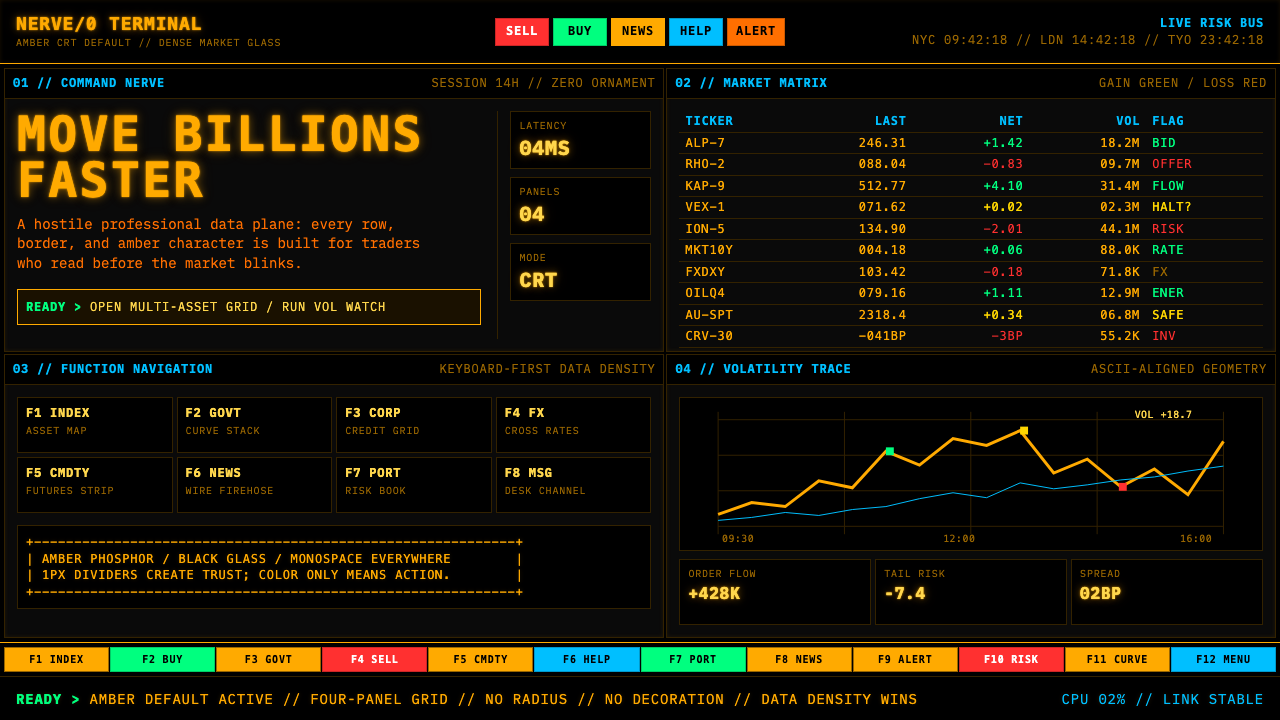 Bloomberg Terminal (Amber CRT)Hostile data authority. Amber mono grids and four hard panels make black glas…
 Air Traffic Control RadarOperational gravity. Phosphor green rings, sweep wedges, and monospace blips…
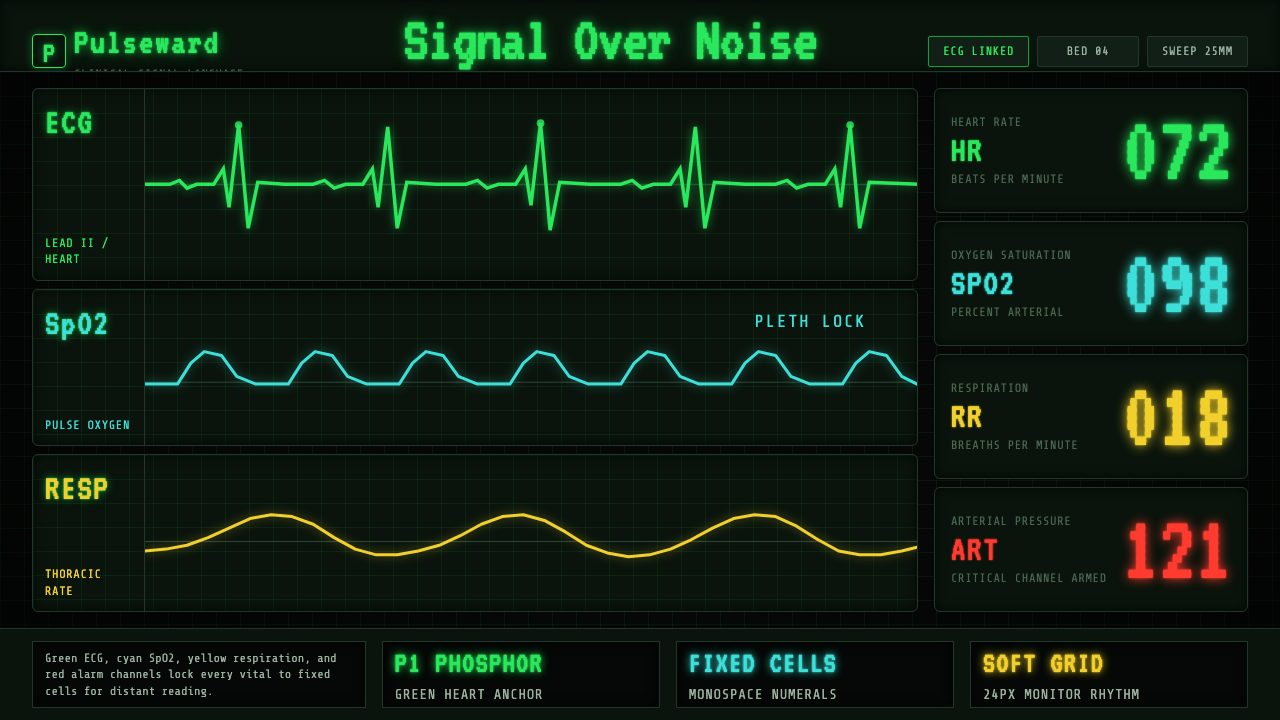 EKG Vital MonitorClinical clarity glows. Phosphor ECG green, cyan and yellow channels lock to…
 Oscilloscope WaveformBrightness is meaning. One P31 phosphor trace glowing across an etched gratic…
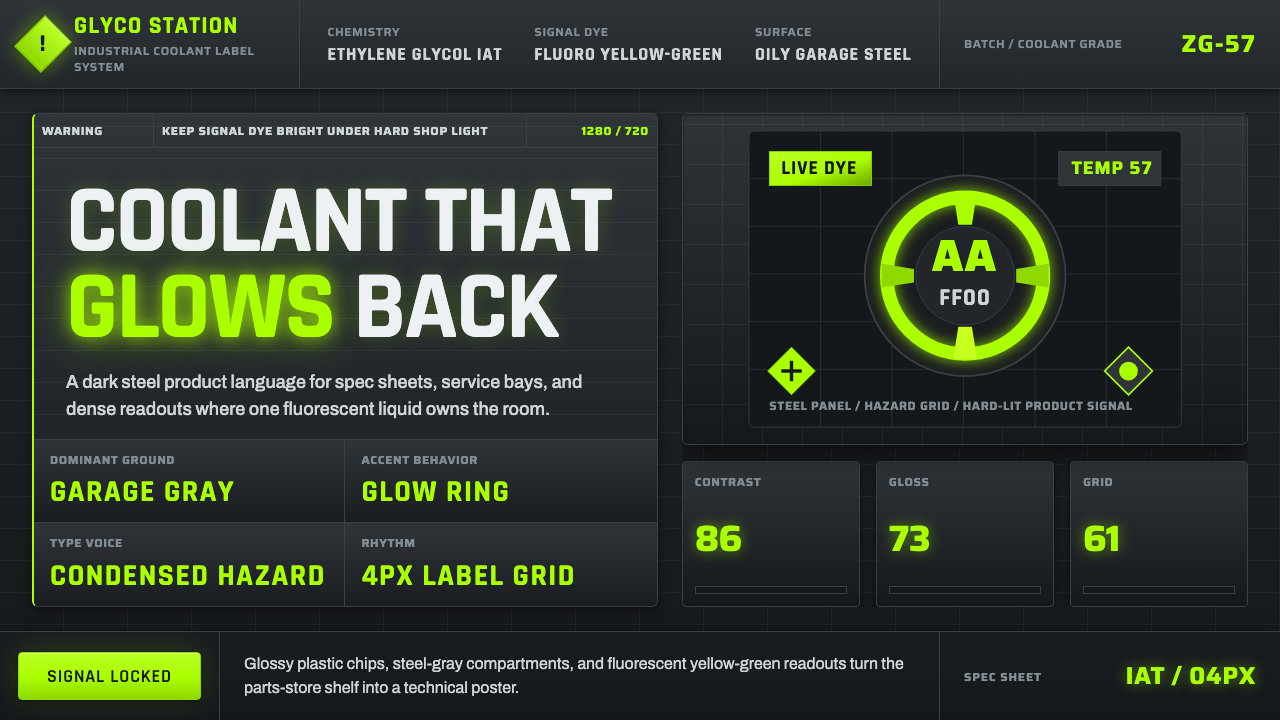 Fluorescent Antifreeze GreenCoolant becomes hazard signal. Fluoro green burns through steel-gray label gr…
 Aluminium Flight CaseRoadproof and exact. Diamond-plate gray, stencil type, black frames, blue-red…